
A character interaction becomes believable when someone appears to listen. Runway Act-Two can transfer a recorded performance to a character, but a convincing response still depends on eyeline, timing, and what happens before the reply. This tutorial builds a short reaction shot around those decisions.
Download the reaction-shot rehearsal sheet · Create a character reference
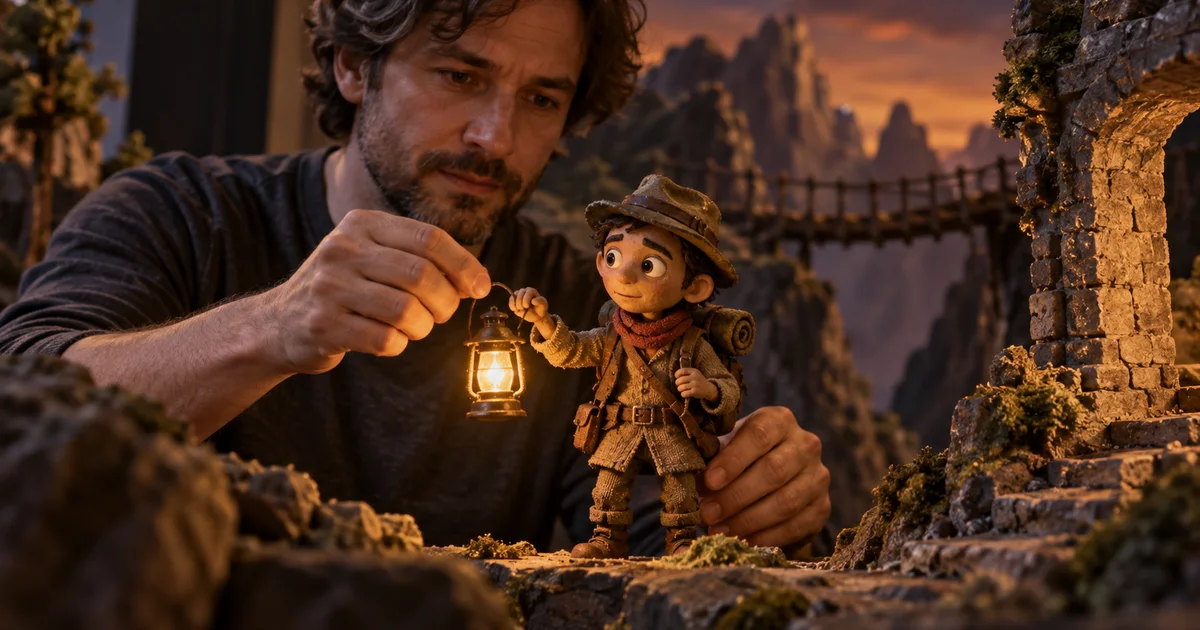
Documentation checked September 16, 2026. The lantern scene is an original rehearsal exercise, not a claimed Act-Two output. The hero is an AI-generated illustration.
Understand the single-character boundary
Runway’s multi-character dialogue guide uses separate character crops, separate driving performances, and compositing. Act-Two takes a single character input; a finished two-person scene involves additional editing. This distinction matters when planning both the workload and the shots you actually need.
The same guide distinguishes character images from character videos. With an image, gesture transfer can animate the character’s body. With video, the existing scene motion is retained while the performance drives facial expression and speech. Choose the input around the result you need, rather than assuming that every control works identically for both.
For this exercise, begin with one close reaction. You can communicate an offscreen partner through sound and gaze without solving a two-person composite immediately. Expand to a shared shot once the performance works.
Write a scene with something to react to
Our fictional explorer, Ivo, holds a lantern near a cave entrance. An offscreen companion says, “That light wasn’t there a moment ago.” Ivo looks toward the cave, takes a small breath, then replies, “Stay behind me.” The useful change is from routine attention to cautious responsibility.
Give the actor a specific thought during the silence: Ivo is deciding whether the light is a reflection or another person. “Look concerned” is less useful because it encourages a generic facial pose. A thought gives the actor a reason to move their eyes and delay the line.
| Beat | Planned action | What the audience learns |
|---|---|---|
| Listening | Hold the lantern still; eyes on the companion | The warning has been heard |
| Checking | Small gaze shift toward the cave | Ivo looks for evidence |
| Decision | Settle the gaze; one quiet breath | Uncertainty becomes a plan |
| Reply | “Stay behind me,” without a large arm sweep | Ivo takes responsibility |
These are proposed beats, not required timestamps. Rehearse the whole exchange and let the useful pauses determine its duration. Cutting silence simply because no words occur can remove the story’s most readable moment.
Make a reference that can support the performance
Start with a character frame showing the face clearly and the hand that holds the lantern. Avoid a dramatic angle that hides both eyes. If the reaction relies on a glance, the viewer must be able to see where that glance begins and ends.
Record the spatial facts: companion offscreen right, cave opening offscreen left, lantern in Ivo’s right hand. Screen direction and anatomical direction are different. The character’s right hand may appear on the viewer’s left, depending on the camera. Label your reference rather than trusting a verbal shortcut.
If you build the reference in Image Lab, approve these facts before taking the image into Runway. QuestStudio can help develop a reference; the Act-Two performance transfer happens separately in Runway. See the AI video 180-degree rule guide when planning the reverse angle.
Record the listening beat, not just the spoken line
Place a physical eyeline marker near the camera to represent the companion, and another for the cave. Give yourself a recorded cue or have someone read the offscreen line. Keep that cue consistent across takes so you can compare performances against the same stimulus.
Make three takes: minimal, moderate, and expressive. In the minimal version, change only the eyes and breath. In the moderate version, add a small head turn. In the expressive version, add a shoulder adjustment. This creates a usable range without changing the sentence or the staging.
Leave a little stillness before the cue and after the reply. Those handles let you adjust the cut. Keep your face unobstructed, lighting steady, and framing compatible with the character reference. Runway’s performance tutorial is a useful companion for the current input workflow.
Listen to each take without watching it, then watch without sound. The first pass reveals whether the spoken intention makes sense; the second shows whether the physical reaction becomes exaggerated. Choose a coherent performance rather than combining every strongest gesture.
Generate one reaction and inspect the quiet frames
Load the chosen character input and driving performance using the current Act-Two controls. For an image input, decide whether gesture transfer is actually needed. A lantern-holding hand may be better served by restraint than by an unnecessary reach across the body.
Review the entire listening section at normal speed before focusing on lip sync. Does the character begin reacting before the warning arrives? Does the mouth move during a silent beat? Does the gaze return to the companion before the reply? Good syllable matching cannot repair an emotionally premature reaction.
Then inspect the lantern handle, fingers, jaw, and shoulder through the head turn. A believable face can distract you from a hand that changes its grip. Compare the output to the reference at the beginning and end, but also scrub the transition between those frames.
When using a character video, match its useful duration to the performance. Runway documents looping behavior when a base clip is shorter; a reversed background movement can undermine a quiet exchange. A stable source with enough duration is easier to integrate than a conspicuous repeated motion.
Assemble the second character only when the scene needs it
For a shared shot, first establish a common plate containing both characters in their final positions. Make individual crops from that plate, keeping enough surrounding information to align them later. Record and generate each character’s performance separately.
Place the outputs over the shared plate in an editor and align scale, position, and timing. Use masks appropriate to the shot. Watch areas where bodies, props, or shadows overlap: two individually successful clips can disagree at their boundary.
Do not default to a split down the middle if a hand crosses that split. Either adjust the blocking, use a more careful composite, or cut to separate angles. The simplest credible coverage often wins. Our dialogue and lip-sync workflow covers the broader assembly process.
Use a reaction-specific review sheet
Ask a viewer who has not read the prompt what changed in Ivo’s mind. If they describe surprise when you intended suspicion, examine the performance before changing the visual style. The question tests whether the shot communicates its intended action.
- Can the viewer identify whom the character is watching?
- Does the reaction follow the warning rather than anticipate it?
- Does the lantern stay in the same hand with a stable grip?
- Does the character finish the thought before the editor cuts away?
- Does the next shot preserve the same spatial relationship?
Record the failed beat and one proposed change. “Everything feels off” leads to uncontrolled retries. “The head turns before the warning ends” suggests a specific performance or timing adjustment. Keep the approved take alongside the revised version so that an improvement in one area does not conceal a regression elsewhere.
Frequently asked questions
Can Act-Two animate two characters in one input?
The documented workflow uses single-character inputs. Multi-character scenes require separate performances and additional assembly or compositing.
Should I use a character image or video?
Use the input that fits the shot. Image inputs support gesture transfer; character video preserves existing scene motion while the performance drives the face and speech.
Why does a silent reaction matter?
It shows the character receiving information and deciding how to respond. Without it, a conversation can feel like disconnected line readings.
Can I perform this entire workflow inside QuestStudio?
No. Image Lab can help create a character reference. Act-Two generation and any multi-character compositing described here happen in the separate tools you choose.