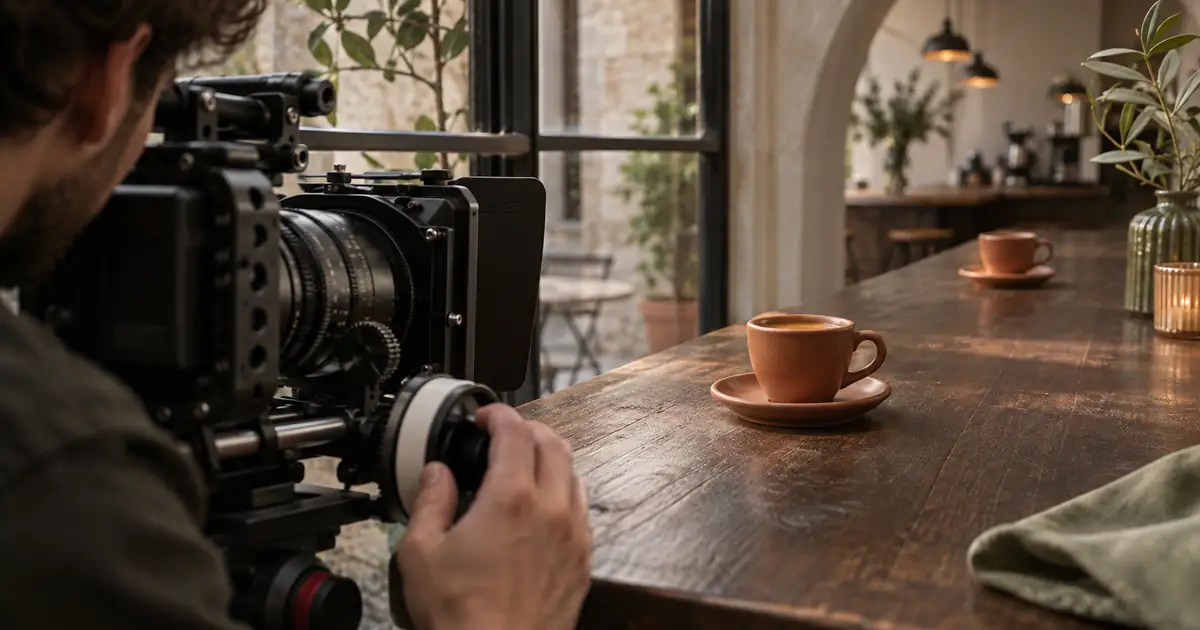

You pull focus from the front of a perfume bottle to a detail behind it. Both endpoints look sharp, but the bottle seems to grow and the edges of the set creep outward. The shot feels as if someone touched the zoom ring, even though the camera stayed on the tripod.
That can be focus breathing: a change in field of view as focus changes. I would check for it before replacing the tripod, adding stabilization, or repeating the same focus pull. Those actions may not address the cause.
Watch the frame, not only the focus target
Nikon's focus-breathing explanation describes the visible effect as a framing shift during a focus change. It may resemble a small unintended zoom. The product can become sharp at the right moment while the overall composition still changes.
That is different from missing focus. If the label stays soft but the frame holds steady, work on the focus target and pull. If the entire view wobbles, check camera movement or stabilization behavior. If local details stretch independently, a global framing adjustment may not solve the problem.
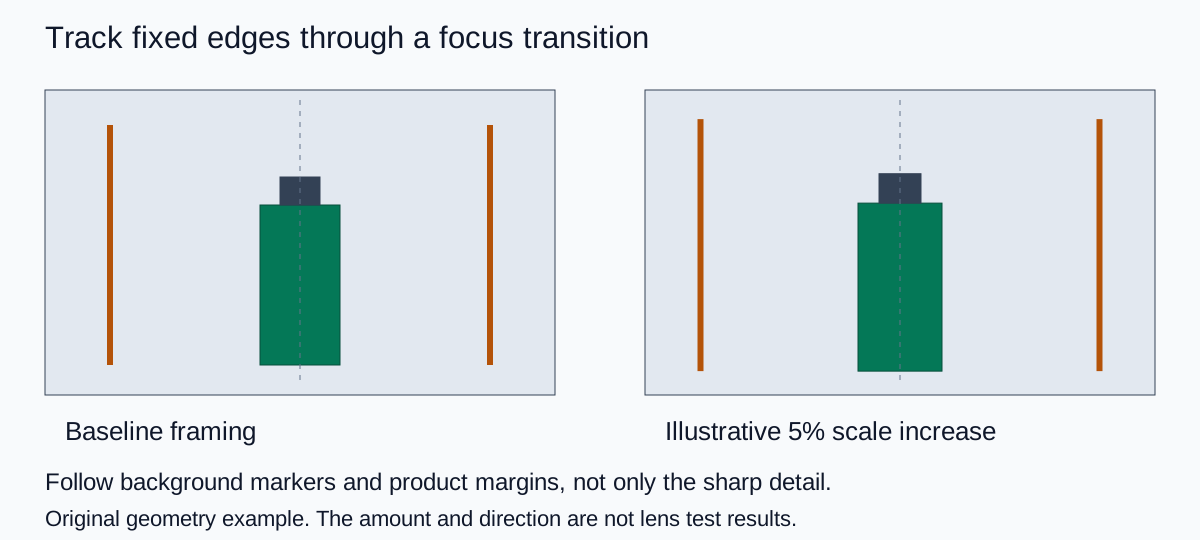
For a product film, choose two references: the important detail that becomes sharp, and a fixed feature near the edge of the frame. A vertical background line is useful because you can watch it while your attention would normally follow the product.
Test the shot you actually need
A full lens test can explore its entire focus range. For a product shoot, I would first test the specific transition in the storyboard. A lens might be acceptable between the cap and the front label yet distracting across a much larger distance. Your decision should reflect the working shot.
- Place both focus targets. Mark the product and background positions. Choose the start and end details before touching the camera.
- Lock the composition. Keep camera height, focal length, and framing fixed. Note any stabilization, digital crop, or compensation setting so the comparison is repeatable.
- Record a short transition. Give each endpoint a moment to settle. Do not reframe to improve the second endpoint midway through the test.
- Compare the endpoints. View both at the same scale. Look at the background line, margins around the product, and any text that must remain inside the crop.
- Watch at delivery speed. A change that is obvious when flipping between stills may be acceptable in the actual edit. Judge it in context before adding correction.
Laowa's lens-testing guidance also emphasizes stable framing references and separating breathing from a missed focus pull. I would use the test to decide whether this shot is usable, not to assign a universal score to the lens.
Keep one note per take: working focus distances, focal length, recording mode, compensation state, and whether the final crop loses anything important. The focus transition log gives you fields for those observations. Leave measurements blank until you actually make them.
Understand the cost of stabilizing the frame
Some camera and software combinations compensate for breathing by cropping and adjusting the image. Support depends on the actual equipment and mode. Sony's FR7 help guide, for example, describes an electronic crop and lists compatibility limits. That documentation is not a promise that your camera has the same option.
Leave room around the product if correction may be needed. A label pressed against the edge of the source frame gives the editor little flexibility. Check the corrected output, not only the on-camera preview, because the final crop is what the audience will see.
Here is an original arithmetic example. Suppose a simplified 1920-pixel-wide image grows by 5% around its center during the transition. Its scaled width is 2016 pixels. A 1920-pixel output keeps the center and loses about 48 scaled pixels from each side. This describes a centered scale operation, not the crop factor of a particular camera or lens.
The example is useful for planning margins. If a decorative ribbon sits only a few pixels from the edge, even modest correction can cut it. If your product has generous space around it, the same adjustment may be harmless. Resolution, sharpness, and the required delivery format still need review after correction.
Choose a fix that suits the story
| What you see | First option I would try | Check afterward |
|---|---|---|
| Small global framing change with plenty of margin | A restrained correction in the editor | Crop, sharpness, and movement through the whole transition |
| Important packaging disappears at an endpoint | Reframe wider and repeat the shot | The required final aspect ratio |
| Breathing distracts throughout a slow reveal | A different lens or shorter focus-distance change | The same actual start and end targets |
| The story does not need a visible focus transition | Two locked-focus shots joined by a cut | Continuity of lighting and product position |
I would not insist on a continuous focus pull just because it appears in the first storyboard. Two clean shots can communicate the same product detail more clearly. A wide view establishes the object; a closer insert shows the texture or label. The cut also gives you control over pacing without making the viewer watch an imperfect transition.
If the problem is autofocus repeatedly switching targets, use the locked-focus product-video workflow. Breathing and hunting can appear together, but they need separate decisions. Turning off hunting does not prove that the lens will hold the same field of view during a deliberate pull.
Review generated focus transitions differently
An AI-generated clip can imitate a focus pull and also invent movement in the product or room. Calling every apparent zoom “lens breathing” gives the result an explanation you have not established. Inspect the visible failure instead: do the frame edges move together, does the bottle change shape, or does the label mutate?
In QuestStudio Video Lab, start with a short, restrained shot and a stable product reference. Specify which detail should attract attention first and which should attract it next. Keep the requested camera movement simple so you can evaluate the transition.
Locked camera on a stationary product. Begin with attention on the front label, then gently shift focus toward the cap. Keep the full bottle, packaging geometry, lettering, and frame margins stable throughout. No camera push-in, zoom, product rotation, or new objects.
This is a review brief, not a guarantee of optical simulation. If the product itself warps, a scale keyframe will not restore its identity. Shorten the shot, simplify the transition, or use separate approved views. The rack-focus planning guide covers the storytelling side of that choice.
Make the acceptance decision in the edit
Check the source, the corrected version if there is one, and the final export. Watch once for the product detail and once for the borders. Then watch the surrounding shots so that a small framing change is judged in the sequence where it will actually appear.
My recommendation is to keep the simplest version that communicates the intended detail. A stable, readable product shot is more useful than a technically ambitious focus pull that draws attention to itself.
Frequently asked questions
What is focus breathing?
Focus breathing is a change in field of view as focus changes. It can make a locked-camera shot appear to zoom slightly even when the zoom setting stays fixed.
Is focus breathing the same as autofocus hunting?
No. Hunting is repeated searching or switching of focus. Breathing concerns the framing change associated with a focus adjustment. Both can be visible in the same clip.
Can I fix focus breathing with a crop?
A restrained scale or crop adjustment can help some global framing changes. Review the full transition, final crop, and image quality. It cannot repair unrelated local distortion or missing product detail.
Does every camera offer breathing compensation?
No. Availability depends on the camera, lens, firmware, and recording mode. Check the documentation for the exact combination and inspect the exported result.
Should I remove every small focus-related framing change?
Not necessarily. Judge the effect at normal playback speed in the final sequence. Correct it when it distracts from the product or loses important framing, rather than treating every measurable change as a failed shot.
Technical references
Continue with a useful next step
 Video
Shutter Angle for Product Video and Motion Blur
Use shutter angle to control motion blur in product videos. Compare 180 and 90 degrees on the same move, then check label readability and exposure.
 Video
AI Product Video Hands: Fix Grip, Contact and Scale
Fix AI product video hands by reviewing approach, contact, grip and release. Simplify motion, protect product scale and reject clips that change the item.
 Video
AI Product Video Prompts That Keep Packaging Consistent
Use AI product video prompts that preserve packaging, labels, logos, colors, and proportions. Includes templates, failure fixes, and a review checklist.
Hero: AI-generated editorial illustration. Supporting diagrams and exercises: QuestStudio.