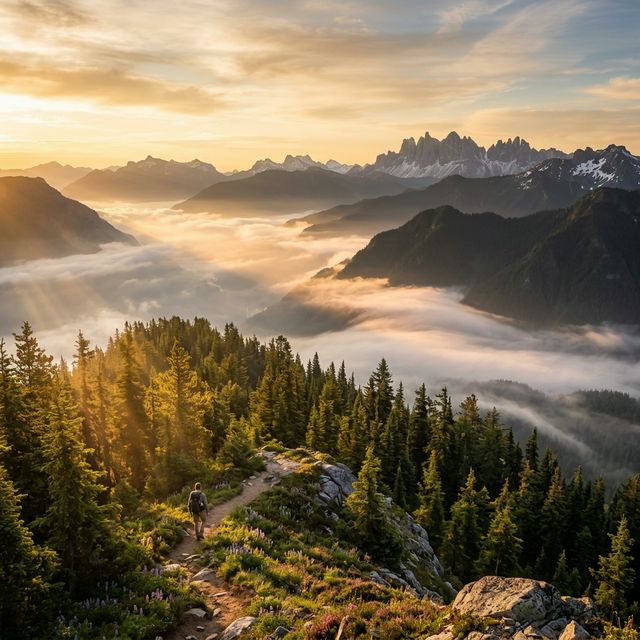

A great landscape photo already has most of what you need for a beautiful AI video. The composition is there. The lighting is there. The mood is there. The trick is not forcing too much motion into it.
For landscape image-to-video, the most effective prompts usually do two things well: they create subtle parallax and they add believable atmospheric motion. That lines up with current image-to-video guidance from Runway, which says the image should define composition, subject matter, lighting, and style, while the prompt should describe motion, camera work, and temporal progression. Google's current Veo guidance also recommends clear, specific camera and scene prompts rather than vague cinematic wording.
This guide shows you how to turn a landscape photo into a calm, cinematic video using prompts that feel natural instead of overdone.
What parallax means in image-to-video
Parallax is the illusion of depth created when foreground and background elements appear to move at different speeds. In a landscape shot, that might look like:
- grass or rocks shifting slightly in the foreground
- mountains holding more steady in the background
- clouds moving slowly across the sky
- fog drifting through the midground
- a gentle camera push that reveals layered depth
That sense of separation is one of the fastest ways to make a still landscape feel alive.
In practice, current video prompt guides support this kind of result through camera language like dolly, pan, locked shot, and environmental motion. Runway's Gen-4 prompting guide explicitly notes camera motion can move independently through environments and include shifts in focus or tracking behavior.
What atmospheric motion means
Atmospheric motion is everything in the scene that moves without changing the landscape itself.
Examples include:
- fog rolling through a valley
- clouds drifting overhead
- light rain in the distance
- dust moving across a desert
- tree branches swaying
- sunlight shifting through mist
- water rippling gently
This kind of motion works especially well for landscapes because it adds life without asking the model to invent a new subject or rewrite the scene structure.
Why this works so well for landscape photos
Landscape photos are already strong starting points for image-to-video because the scene usually has:
- clear depth
- stable composition
- natural lighting
- large environmental elements
- fewer fragile human details like faces or hands
That makes them a good match for subtle motion workflows. Runway's current image-to-video guide is especially relevant here because it frames the prompt as the motion layer on top of an already-defined image.
The best prompt formula for landscape photo animation
Use this structure:
Landscape scene + camera motion + atmospheric motion + mood
Example:
This works because it keeps the prompt focused on movement through the image instead of describing the image from scratch.
Best camera moves for landscape parallax
These are usually the safest and most effective options:
- slow push in
- slow dolly forward
- gentle pan left or right
- subtle aerial glide
- locked wide shot with environmental motion
- slow pull back for reveal
Runway's current prompting materials explicitly support camera movement styles like locked, handheld, dolly, pan, and more, while Google's Veo guide also encourages clear camera directions in prompts.
For landscapes, simpler is usually better. A slow push in often feels more premium than an aggressive orbit or fast sweeping move.
Best atmospheric motion for landscapes
Not every landscape needs the same effect. Match the scene to the environment.
For mountains
- drifting fog
- moving clouds
- light snowfall
- subtle wind in foreground grass
For forests
- leaves moving gently
- light rays shifting through trees
- mist moving between trunks
- floating particles or dust in sunlight
For lakes and water scenes
- surface ripples
- low mist over water
- reflections moving softly
- clouds passing overhead
For deserts
- drifting dust
- heat haze
- slow-moving clouds
- faint wind through sand or dry grass
For coastal scenes
- rolling waves
- sea mist
- clouds moving across the horizon
- grasses shifting in the breeze
These kinds of effects align with the broader current guidance to be specific and direct about motion, not abstract.
What to avoid
A lot of landscape videos fail because the prompt asks for too much.
Avoid:
- fast crash zooms
- spinning camera moves
- dramatic action in a calm still image
- too many environment effects at once
- trying to change the weather, lighting, and camera all in one short clip
Runway's current materials support detailed camera choreography, but that does not mean every shot should use it. In most landscape workflows, restraint gives you a cleaner result.
Copy-ready landscape parallax prompts
1. Mountain valley prompt
2. Forest path prompt
3. Lake prompt
4. Desert landscape prompt
5. Coastal cliff prompt
6. Waterfall prompt
7. Meadow prompt
8. Snow scene prompt
A stronger formula when you want better control
Once you are comfortable, use this version:
Scene + camera direction + depth cue + atmosphere + tone
Example:
This version works well because it tells the model where the depth should be felt.
How to make parallax feel natural
Keep the camera move small
Parallax does not need a huge move. A slight push, glide, or pan is often enough to reveal depth.
Use real depth cues
Foreground rocks, flowers, branches, grass, fences, cliffs, and tree trunks help the model create layered motion more convincingly.
Let atmosphere do part of the work
Sometimes the best landscape animation is mostly environmental. Fog, clouds, light, and water can create enough motion even with a mostly locked camera.
Match motion to the image
If the source image is calm and still, keep the video calm and still. If the photo already suggests wind, water, or scale, lean into that.
Google's Veo best-practices guide emphasizes clarity and specificity. For landscapes, that usually means describing one clear camera move and one or two believable environmental changes, not a pile of style words.
Common mistakes with landscape motion prompts
Overloading the scene
Too many motion cues can make the whole landscape wobble instead of creating clean depth.
Forcing subject motion
Landscapes usually do not need a moving subject. The environment is the subject.
Ignoring the foreground
Parallax works best when the image has a visible foreground element to separate from the background.
Making the weather too dramatic
A little fog, wind, or cloud motion usually looks more believable than a full storm added to a peaceful still image.
Using vague words only
Beautiful, cinematic, epic, and stunning are not enough on their own. You still need camera and motion instructions. Runway and Google both stress clear direction in prompts.
Best landscape prompt types by mood
Calm and meditative
Use:
- locked or slow push in
- mist
- soft ripples
- slow cloud drift
- sunrise or sunset light
Epic and expansive
Use:
- wide aerial glide
- layered parallax
- moving clouds
- valley fog
- scale-driven wording like expansive or majestic
Moody and cinematic
Use:
- slow push through foreground
- darker cloud movement
- drifting fog
- subtle rain or sea mist
- lower-contrast lighting language
Dreamy and atmospheric
Use:
- gentle movement in grass or flowers
- light haze
- soft cloud motion
- warm or pastel light
- slower camera pace
Best source images for landscape animation
The best landscape photo for parallax and atmospheric motion usually has:
- a strong foreground element
- visible midground and background
- clean composition
- strong natural light
- enough detail to separate layers
- no heavy blur or low-resolution mush
If the image is too flat, parallax can feel weak. If the image is messy, the motion can feel unstable.
That is one reason image prep matters. Better depth cues in the image make better motion in the video.
How QuestStudio helps
QuestStudio makes this workflow easier because you can move from source image to final motion in a more structured way.
You can start by refining the still image with the AI image generator or image-to-image AI, then animate it through image-to-video AI or the broader AI video generator workflow. If the image needs cleanup before animation, tools like background remover, image upscaler, and photo restorer can help improve the starting frame.
QuestStudio is also useful because prompt testing matters a lot here. Different models handle atmospheric motion and landscape depth differently, so comparing outputs side by side can save time. And once you find a formula that works, you can save it in Prompt Lab or the prompt library inside the app instead of rebuilding the same prompt from scratch every time.
Related guides
FAQ
What is the best prompt formula for animating a landscape photo?
What does parallax mean in AI video?
What atmospheric motion works best for landscape videos?
Should I use a big camera move for landscape parallax?
Why does my landscape photo animation look fake?
Final thoughts
The best landscape photo animations do not come from forcing dramatic action into a still image. They come from subtle depth, believable atmosphere, and camera movement that respects the scene you already have.
Start with small parallax, add one or two natural environment cues, and keep the mood consistent with the original photo. That is usually what makes the result feel cinematic instead of synthetic.
If you want a better workflow for building, testing, and saving those prompts, try QuestStudio and turn still landscapes into motion with more control.
When one detail should move inside an otherwise still composition, build and inspect a selective-motion cinemagraph.