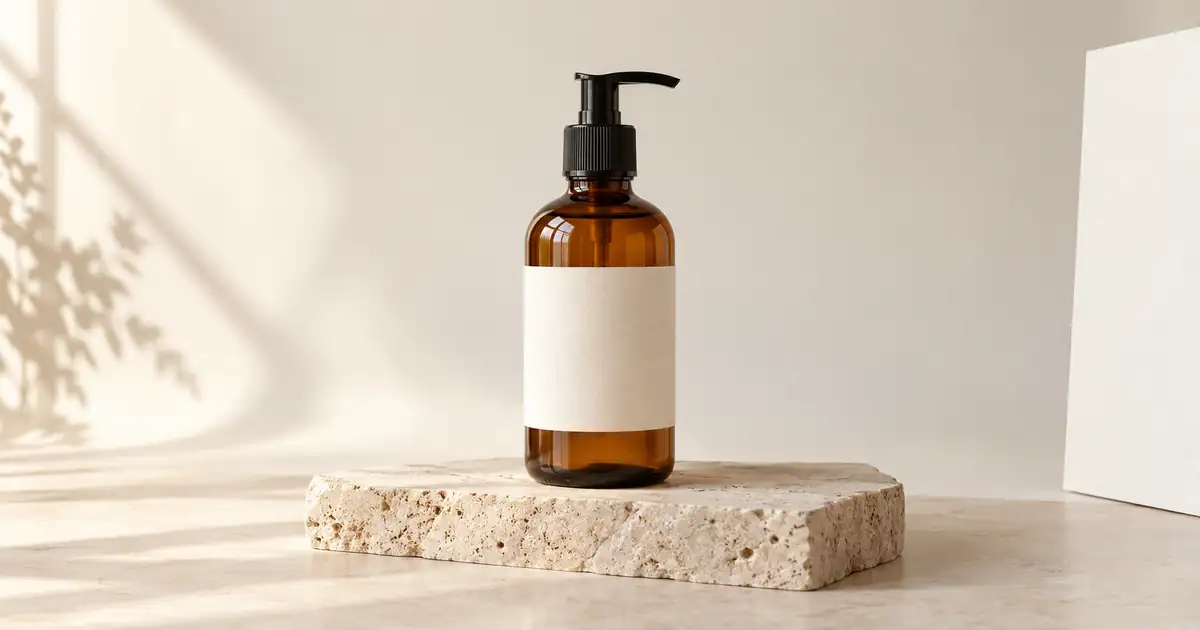

For a real ecommerce product, start with its photo and ask for one controlled change. Describe the background, light and crop, then name the label, shape, color and included items that must stay accurate. The 30 scene prompts below are starting points; a real listing still needs the real product as its reference.
A ChatGPT product photography prompt for your actual product
Replace “neutral studio setting” with the background your destination requires. Compare the output with your source before use: preservation instructions are requests, not guarantees. OpenAI notes that edits may extend beyond a selected area.
Use a reference-first workflow for a real product
Text-only prompting is useful for concept exploration. It is a poor final source of truth for a product whose bottle, shoe, device, label, or included accessories must remain accurate. ChatGPT Images currently supports uploading an existing image and describing an edit, including a selected area, but OpenAI notes that selected edits can extend beyond the highlighted region. Treat the output as a draft that still needs comparison with the source.
- Start from an authorized, sharp product photo. Include the angle and label detail that must survive the edit.
- Name one allowed change. Change the background, surface, lighting, crop, or supporting props, not all of them in the first test.
- State what must stay fixed. Protect product geometry, color, label, logo, closures, controls, proportions, and included items.
- Compare at the same crop. Check silhouette, typography, color, scale, reflections, shadows, and any claim-bearing text against the source.
- Approve the asset, not the prompt. A plausible result is not publishable if it changes what the customer will receive.
OpenAI's current ChatGPT Images guide documents image upload and editing behavior. Product and marketplace rules can change, so verify the requirements for the exact channel before export.
Open the product-photo approval checklistWrite one brief before creating ecommerce images
Start with one SKU, one destination, and one buyer question. A catalog image answers “What exactly do I receive?” A lifestyle image adds context. An ad needs room for a message. Treating all three as the same job creates extra revisions and can hide the details a buyer needs.
| Image job | Keep from the source | Allowed change | Reject the result if |
|---|---|---|---|
| Catalog image | Bottle shape, label, pump, color and contents shown. | Clean the background and leave the full item visible. | The label changes, the pump gains a part, or a prop looks included in the purchase. |
| Lifestyle image | The same bottle and its real proportions. | Add a plausible bathroom-counter setting around it. | The scale is misleading or a reflection invents a second product. |
| Product ad still | The approved product appearance and actual offer. | Change the surrounding composition to leave space for copy added later. | The scene implies an unsupported ingredient, result, size or accessory. |
The table is an editorial planning example, not a claim that an image model passed these checks. Use your original product photo for each new attempt instead of repeatedly editing a previous AI result. If the label is too small to read in the source, capture a better reference or keep that part of the original photograph through a conventional edit.
Set a stopping rule for the job
Choose a time or generation budget before starting. Save the first result that passes your source comparison and destination requirements. If the same product detail keeps changing, narrow the edit or return to ordinary photography and compositing; a more dramatic prompt is unlikely to solve a missing-reference problem. Count approved assets and revision time, not the number of variations generated.
Download the editable product-photo brief to record the SKU, source file, destination, protected details, allowed change and final decision. For a complete listing, use the product photography shot list. Review the approved still with the product fidelity checklist tool before turning it into an ad.
Once you have a usable still, the product-photo-to-ad workflow explains the separate motion, voice and final-edit decisions. A still image passing review does not guarantee that a generated video will preserve the same product.
The product photography prompt formula
Use this structure when writing product photography prompts:
Product + intended use + protected details + background + lighting + camera angle + surface + props + brand mood + relevant constraints
Here is a reusable version:
The most important part is control. You want the product to remain the hero of the image, not disappear into a busy scene.
30 ChatGPT product photography prompts
1. Clean white background product photo
2. Premium black background product photo
3. Minimalist skincare product photo
4. Cosmetic flat lay
5. Coffee product photography
6. Supplement bottle product photo
7. Tech product hero shot
8. Watch product photography
9. Jewelry product macro shot
10. Candle product photo
11. Shoe product photography
12. Fashion accessory product photo
13. Sunglasses product photo
14. Water bottle product photo
15. Home decor product photo
16. Food product packaging photo
When the dish rather than its packaging is the subject, switch to the ChatGPT food photography prompts and shot checklist so plating, freshness, steam, utensils, and menu crops receive their own controls.
17. Beverage can hero shot
18. Product splash shot
19. Beauty product with ingredients
20. Product on model
21. Clothing product photo
22. Furniture product photo
23. Toy product photo
24. Book product photo
If you are creating cover visuals for books, you can also use the AI Book Cover Generator for more specific cover design workflows.
25. Album cover product mockup
For music-related visuals, the AI Album Cover Generator can help you create dedicated cover concepts before turning them into mockups.
27. Amazon-style product image
28. Lifestyle kitchen product photo
29. Handmade Etsy-style product photo
30. Premium hero image for a product launch
Product photography prompt templates by use case
Ecommerce listing template
Lifestyle product photo template
Social media product ad template
Luxury product photography template
Flat lay product photography template
How to write better product photography prompts
Start with the product’s exact purpose
A product photo for Amazon, Instagram, Etsy, a website hero section, and an ad campaign should not use the same prompt.
Before writing the prompt, decide the purpose:
Once you know the purpose, the prompt becomes easier to control.
Choose the right background
The background should support the product, not compete with it.
- Use white or light gray backgrounds for marketplace-style product photos.
- Use stone, marble, linen, wood, or concrete for premium product images.
- Use kitchens, bathrooms, gyms, offices, studios, or outdoor settings for lifestyle photos.
- Use gradients, pedestals, and reflective surfaces for hero images.
For ecommerce listings, keep the background simple. For ads and social content, you can be more creative.
Describe lighting clearly
Lighting changes the entire feel of a product image.
Try these phrases:
- softbox studio lighting
- bright even ecommerce lighting
- soft natural window light
- golden hour outdoor lighting
- dramatic rim lighting
- diffused beauty lighting
- warm lifestyle lighting
- clean commercial lighting
- controlled reflections
- subtle shadow under the product
Avoid vague phrases like nice lighting or professional lighting unless you explain what that means.
Add realistic shadows and reflections
One common reason AI product images look fake is that the product does not sit naturally in the scene. Ask for realistic shadows, contact shadows, and accurate reflections.
Useful phrases include:
- realistic shadow under the product
- natural contact shadow
- controlled reflection on the surface
- accurate glass reflections
- subtle metal highlights
- true-to-life material texture
- believable product scale
Be careful with labels and text
AI tools can struggle with packaging text. If the exact label matters, use your real product image as a reference instead of asking the AI to invent text.
For prompt-only images, avoid asking for complex label text. You can say:
- clean label area
- minimal label design
- no readable text
- blank packaging mockup
- preserve the original label from the reference image
If you are using a real product photo, make sure your workflow preserves the product shape, logo, label, and packaging details.
Use negative prompts only when the model supports them
Negative-prompt behavior is model-dependent. If the image generator exposes a separate negative-prompt field or documents negative instructions, use a short list of the failures that would invalidate the asset. Otherwise, describe the required geometry, label treatment, background, and lighting positively.
Where supported, adapt this starting list:
For fashion products, add:
For beauty products, add:
For food products, add:
For tech products, add:
How QuestStudio helps with product photography prompts
QuestStudio helps you move from prompt idea to polished product visual without jumping between different tools.
In Image Lab, choose a model and mode that support the job. For an actual product, use uploaded-image editing when available and add the source before generating. Reference, masking, resolution and negative-prompt controls depend on the selected model and mode; check the controls shown for your selection.
When comparing available models, use the same source and brief. Review the label, silhouette, materials and shadows before choosing a result. Better lighting alone does not make an inaccurate product image usable.
Prompt Lab helps you save your best product photography prompts into folders, organize them by category, and send them into Image Lab when you are ready to generate. If you create lots of ecommerce or marketing visuals, having a saved prompt library prevents you from rewriting the same product prompt every time.
For cleanup and finishing, QuestStudio’s Magic Editor tools can help with common product image tasks. You can use the Background Remover to isolate products, the Image Upscaler to improve final resolution, and Image to Image AI when you want to guide a new image from an existing product photo. If you want to turn a product image into motion content, you can use Image to Video AI or the AI Video Generator to explore short video variations.
Best QuestStudio settings for product photography
Aspect ratio
| Ratio | Best for |
|---|---|
| Square 1:1 | Marketplace thumbnails and product grids |
| Portrait 3:4 | Ecommerce product pages, beauty, fashion, social posts |
| Widescreen 16:9 | Website hero banners and ad creatives |
| Landscape 4:3 | Catalog-style lifestyle scenes |
Resolution
Use HD or higher when product detail matters. If the product looks good but needs more clarity, upscale after you choose the best version. Do not upscale every draft before you know which direction you like.
Style preset
- Use Photorealistic for ecommerce and realistic product photos.
- Use Cinematic for premium product ads and launch visuals.
- Use Minimalist Vector only if you want a graphic product illustration, not a realistic photo.
- Use Vintage Film for nostalgic lifestyle product campaigns.
Image-to-image
Use image-to-image when the actual product needs to stay close to a reference. This is especially helpful for packaging, shoes, bags, bottles, furniture, and products with a specific shape.
Inpainting
Use inpainting when most of the image looks good but one area needs to change. For example, you can fix a background object, adjust a shadow, remove a distracting prop, or clean up part of the product scene.
Negative prompt or positive constraints
Use the control your selected model supports. A negative field can exclude warped packaging, fake labels, strange shadows, and unrealistic reflections; a positive-only model needs the desired product geometry, readable-label treatment, contact shadow, and reflection behavior stated directly.
Product photography prompt checklist
Before generating, check that your prompt includes:
A product prompt does not need to be long, but it does need to be clear.
Before a listing or campaign goes live, run the selected image through the AI product-photo approval checklist for geometry, label, color, crop, claims, and export QA.
Common mistakes to avoid
Making the scene too busy
A product image should sell the product, not the background. Use props carefully.
Forgetting the surface
Products need to sit on something believable. Mention marble, wood, stone, fabric, glass, concrete, water, desk, counter, or studio floor.
Using fake label text
Do not ask the AI to create detailed product labels unless the label is not important. For real products, use a reference image and preserve the original packaging.
Ignoring scale
Add size context when needed. A small serum bottle, a large chair, and a pair of earbuds all need different framing.
Asking for too many moods at once
A prompt cannot be minimal, luxury, rustic, futuristic, cozy, colorful, and cinematic at the same time. Pick one main direction.
Assuming every model handles negative prompts the same way
Product photography needs accuracy, but controls differ. Use a negative-prompt field only when the model supports it; otherwise write the required result positively and rely on source comparison plus local edits.
FAQ
What is a good ChatGPT product photography prompt?
A good prompt describes the product, setting, surface, lighting, camera angle, background, props, brand mood, realism details, and what to avoid. For example, ask for a realistic product photo of a skincare bottle on a beige stone surface with soft natural light, realistic shadows, sharp product detail, and no warped packaging or fake label text.
Can ChatGPT create product photography prompts for ecommerce?
Yes. ChatGPT can help you write prompts for white background ecommerce photos, lifestyle product images, flat lays, Amazon-style images, social media ads, and hero banners. The image quality will depend on the AI image generator you use and how specific your prompt is.
How do I make AI product photos look realistic?
Use clear lighting, realistic shadows, accurate reflections, true-to-life textures, and a simple background. If your image generator supports negative prompting, add relevant exclusions for warped packaging, fake logos, floating products, and unrealistic reflections.
Should I use a real product photo as a reference?
Use a real product photo when accuracy matters and the image tool supports image input or editing. It gives the model visual evidence for shape, packaging, and color, but it does not guarantee exact preservation, so compare the result with the source before publishing. Use Image to Image AI in Image Lab for a reference-first test.
What background is best for product photography prompts?
For marketplace images, use a seamless white or light gray background. For premium brand photos, use marble, stone, glass, linen, or dark reflective surfaces. For lifestyle images, place the product in a realistic setting like a kitchen, bathroom, gym, office, studio, or outdoor scene.
What negative prompt should I use for AI product photography?
Negative-prompt support depends on the image generator. Where it is supported, exclude the few failures that matter most, such as distorted shape, altered packaging, fake logos, or unrealistic reflections. Otherwise, state the desired product geometry, label treatment, background, and lighting positively.
Can I use AI product photos for ads and social media?
Yes, AI product photos can be useful for ads, social posts, mockups, and creative testing. For actual ecommerce listings, make sure the image accurately represents the real product and does not mislead customers about size, color, features, packaging, or included items.
Conclusion
Strong ChatGPT product photography prompts help you create images that look cleaner, more realistic, and more useful for ecommerce, ads, social media, and brand content.
Start with the product, choose the right setting, describe the lighting, control the camera angle, and protect the details a buyer relies on. Then test controlled variations, compare them with the source, and approve the asset only after it passes the product-photo checklist.
Try building your next product photography prompt in QuestStudio, compare results across different image models, save your best prompt in Prompt Lab, and refine the final image with editing tools when needed.
Related guides
For difficult materials and grounding, use the transparent glass product workflow and the three floating-shadow checks before approving a new product scene.
If a pale item merges into the backdrop, use the white-product edge acceptance map to protect its rim, openings and texture while cleaning the background.
26. Product ad for social media