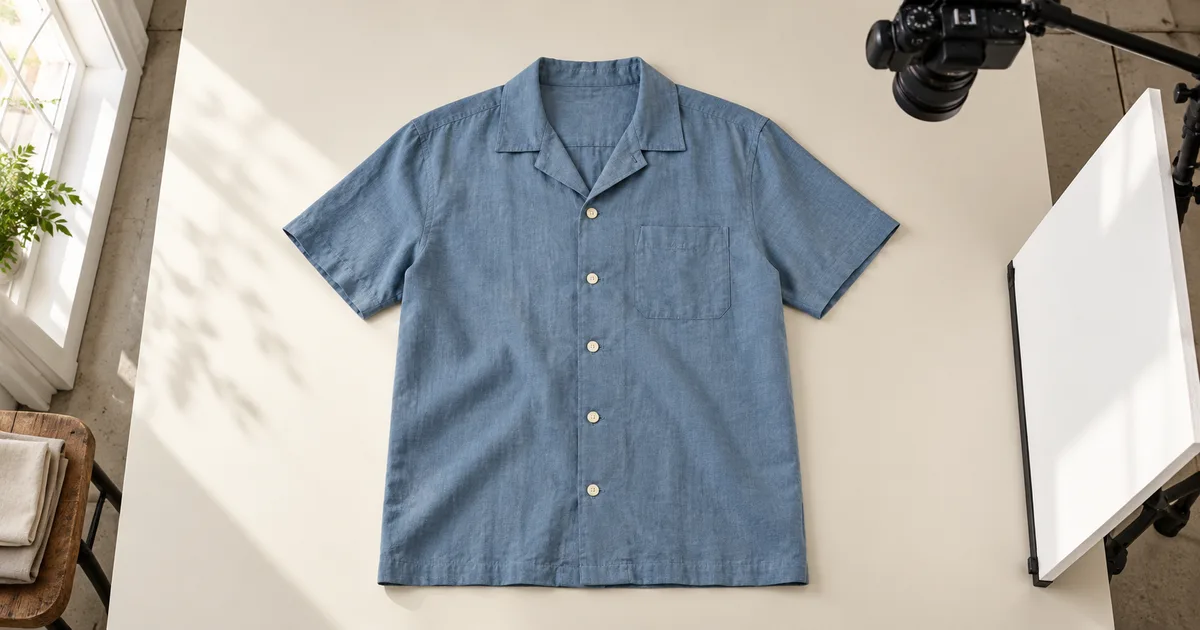

Good apparel product photography shows what a garment is made like before it tries to sell a mood. Start with the actual item, a plain background and steady light. Capture its front, back, construction details and relevant measurements, then check that the finished images all describe the same piece of clothing.
This workflow takes one fictional blue camp shirt from preparation to an approved gallery plan. It has five cream front buttons, one chest pocket, short sleeves and a straight hem. The example is a teaching exercise, not a real product shoot. Replace its details with your garment before using the downloadable sheet.
Download the garment capture and review sheet
Choose the view that answers the shopper's question
You do not need every photography method for every item. A flat lay shows a shirt's outline and print placement clearly. A hanger lets a long dress hang without requiring a large table. A mannequin shows volume. A real worn photograph provides evidence of how one particular size sits on one particular person.
Choose one consistent main view for comparable items, then add the views that supply missing information. A folded shirt can make an attractive collection image, but it cannot show sleeve length, the complete hem or the back. Keep that folded frame as an optional supporting image if those details matter to the purchase.
| Method | Useful for | What it cannot establish alone |
|---|---|---|
| Flat lay | Outline, closures, print and front/back comparison | How the fabric hangs on a person |
| Hanger | Long garments and quick front/back views | Shoulder shape or fit on a human body |
| Mannequin | Volume, collar shape and structured clothing | Fit on bodies different from that form |
| Real worn view | Drape, length and styling on a recorded wearer | A fit guarantee for every customer |
For our shirt, begin with front and back flat lays, then photograph the pocket, closure and fabric. Add a worn view only if you can photograph the actual shirt on a suitable wearer. Shopify's clothing photography guide illustrates several capture styles with real brand examples; use those to choose a format, not to copy another brand's look.
Prepare one garment and record its identity
Put the product identifier, actual colorway and sample size on your shot sheet. Check that the front, back and detail photographs will use the same sample. Two shirts with the same name may have different buttons or revised pocket placement, especially when older stock is still on the rack.
Remove loose lint and check the care label before steaming or ironing. Close buttons and zippers as intended, straighten the collar and let the sleeves rest naturally. The goal is to reveal the construction, not to force the garment into a narrower shape. Do not stretch a knit until it becomes symmetrical in the camera preview.
Separate preparation from condition editing. A temporary packing crease can be addressed before capture. A hole, stain or missing button on the exact secondhand item being sold needs an honest photograph and description. For a new-product catalog, replace a damaged sample when it does not represent the stock customers will receive.
Clips and pins can help arrange clothing, but they can also imply a fit the unaltered garment does not have. Record any styling adjustment. Keep an unpinned factual view when an adjustment changes the apparent waist, sleeve or length, and do not present that adjusted silhouette as sizing evidence.
Build a repeatable capture position
Use a matte surface larger than the garment, with enough space for both sleeves and the entire hem. Start near a window with indirect light or use a broad diffused source. Avoid mixing daylight with warm room lighting during the same test. A white card on the shadow side can help reveal dark fabric without adding another light color.
Keep the camera parallel to the surface for a flat lay. A tilted phone can make the collar look disproportionately large and the hem look small. Use a stable overhead support that is designed for the equipment; do not balance a heavy camera over the garment on an improvised ledge. With a hanger, begin with the camera facing the garment squarely.
Clean the lens and use the timer if pressing the shutter moves the camera. Take a test, open the saved image, and inspect the seams and buttons. The live preview may hide blur. Turn off simulated background blur when it cuts into sleeve edges or treats a loose thread as part of the background.
Record the camera position, light direction, background and settings you can control. There is no single exposure recipe for every phone, lens and room. If automatic exposure changes between the front and back, compare the files before moving on. A darker back image can make one shirt look like two different colorways.
Capture the front, back and detail set in order
Make the clean front view first. For the example shirt, keep all five front buttons, the chest pocket and the straight hem visible. Leave space around the sleeves rather than cropping tightly in the camera. A later square thumbnail may need different margins from the full product page.
Turn over the actual shirt for the back view. Keep the camera and light arrangement steady, then rearrange the sleeves without stretching them. Do not mirror the front and call it the back. A generated reverse angle can invent a yoke, pleat or seam that was never photographed.
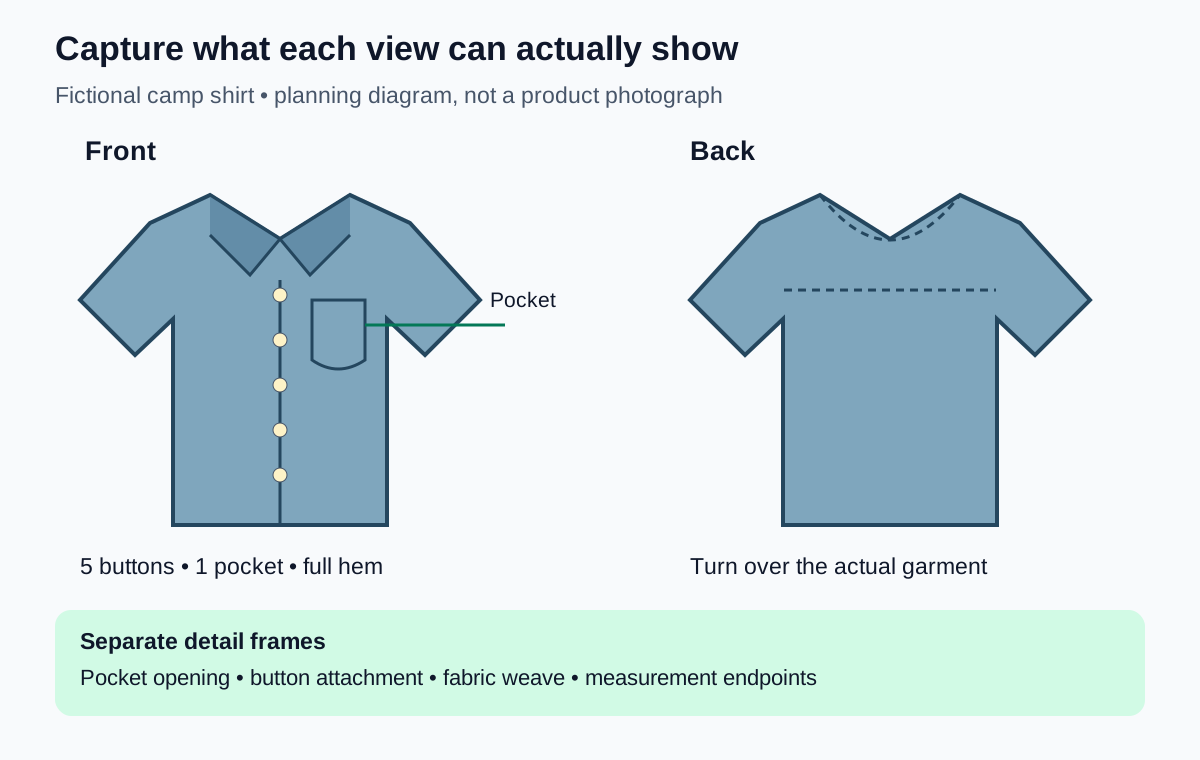
Move closer for the pocket opening, button attachment, cuff finish and fabric. Give a detail frame one clear job. A dramatic shallow-focus photograph may show the button attractively while leaving its attachment unreadable. Check that the feature you promised to show is actually sharp.
If measurements are part of the listing, follow the retailer's documented measurement method and state the units. Lay the garment without tension and photograph the tape endpoints clearly. A flat chest width is not the same measurement as a full body circumference. Record the method alongside the number so the image and size chart do not contradict each other.
Finish with labels or condition details that help identify the item. Do not use a close-up from another size or color because it looks sharper. A useful filename might be CS01-blue-M-pocket-v1.jpg; its purpose is to keep the source attached to the right sample.
Review coverage before putting the set away
Look at the gallery while the garment is still available. Missing views are usually easier to capture now than to recreate after the room has changed. Open the front, back and detail files together and check that they agree on color, closures and construction.
| Example frame | Observation in this fictional review | Decision |
|---|---|---|
| Front A | A folded sleeve hides the pocket opening | Rearrange the sleeve and reshoot |
| Front B | Pocket, five buttons and hem are visible | Move to focus and export review |
| Back A | The bottom edge falls outside the frame | Widen the capture; do not invent the hem |
| Fabric A | Fine weave has false colored bands | Compare source and resized copies before editing |
| Styled concept | A second pocket appears | Reject as a depiction of this shirt |
The downloadable sheet contains these example decisions and blank rows. Replace the sample filenames and observations with your own. A row marked “review export” is deliberately unfinished: clear construction does not establish that focus, color or the final crop has passed.
For repeating fabric patterns, use the clothing moire diagnosis workflow. It helps separate a problem in the source from one introduced during resizing. Blurring the whole shirt can hide the artifact while erasing the weave a customer needs to see.
Edit and export without changing the garment
Keep untouched captures and work on copies. Start with restrained exposure and color corrections, comparing against the physical garment under consistent viewing conditions. Avoid warming every image simply because the collection looks more inviting that way. The product color-correction guide covers that separate review.
Inspect cutout edges around cuffs, collar openings and loose fabric. Removing the background should not remove a strap, fill a real opening or replace a slightly irregular hem with a perfect line. If the edit changes a permanent product feature, return to the source instead of treating the change as cleanup.
Choose the export ratio for the actual destination and test the collection card as well as the product gallery. Keep a consistent visual scale across comparable garments, but do not enlarge a short shirt until it appears the same length as a dress. The Shopify product image sizing guide explains how source dimensions and theme crops differ.
Check the actual uploaded rendition at a small size and in its detail view. Confirm the selected color and size show the intended photographs. Save the accepted filenames with the sample identifier and leave any unresolved detail visible in the review sheet.
How QuestStudio helps
After the factual set is ready, use Image Lab to explore one supporting garment scene. Choose a model that accepts your reference image, review its controls and credit requirement, and start with a restrained background change. Compare the result with the real front view before generating variations.
Count the buttons and pockets again. Check the collar, sleeve opening and hem. A preservation instruction is not a guarantee that product pixels remain unchanged. If exact construction matters, use the scene idea as a reference and finish with the original garment in your compositing editor. A generated worn image remains a visual concept; the virtual try-on review guide explains why it cannot verify physical fit.
Frequently asked questions
Can I take apparel product photos with a phone?
Yes. Use stable support, soft light and a camera position that keeps the garment's proportions readable. Inspect the saved file for focus and edge errors before completing the set.
Is flat lay or on-model photography better?
They answer different questions. Flat lays describe construction and outline; real worn views show one size on one wearer. Choose a consistent main format and add the evidence it cannot provide.
Should I remove every wrinkle?
Prepare the garment according to its care instructions, but preserve its actual texture and construction. Do not reshape the item or hide permanent condition issues to make it look new.
Can AI create a missing back view?
It can create a concept, but it cannot verify hidden seams or construction from an unseen back. Photograph the actual garment when the image is meant to describe the item for sale.
How many clothing photos do I need?
Use enough distinct images to show the front, back, relevant details, size information and condition. Add a worn view when useful, and check the destination's current requirements instead of filling slots with repeated angles.
Finish one complete garment record
Approve the front, back and details together, then check the delivery crop. Keep the source files and the reasons for any reshoot. When the next garment arrives, reuse the setup and review sheet while replacing every product fact with evidence from that new item.
Hero: AI-generated editorial illustration. Diagram and worksheet examples are original teaching exercises, not a real product shoot, Shopify theme test or measured model result. Prepared October 25, 2026.