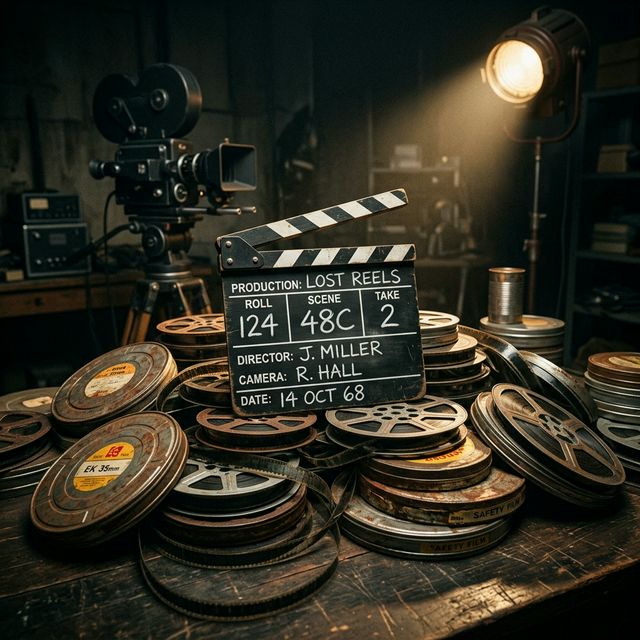

Most image-to-video tools already get the subject, composition, lighting, and style from the source image. Your prompt works best when it tells the model what should happen over time, especially the motion, camera behavior, and scene changes. That is why a simple formula works so well.
In this guide, you will learn a cinematic prompt formula built around four parts:
Subject + Motion + Camera + Environment
This structure is easy to remember, easy to scale, and flexible enough for realistic, stylized, commercial, and story-driven clips.
What is a cinematic prompt formula for image to video?
A cinematic prompt formula is a repeatable way to describe how a still image should turn into motion. Instead of typing vague prompts like make this more cinematic, you direct the model like a shot list.
For image-to-video prompting, the source image already handles much of the visual setup. The text prompt should usually focus on action, camera work, and temporal progression. That pattern appears across current image-to-video guidance from major tools and prompt tutorials.
A strong formula helps you control:
- What moves
- How it moves
- How the camera behaves
- What the world around the subject is doing
That is the difference between a clip that feels alive and one that feels like a still image with a cheap zoom.
The core formula
Use this:
Here is what each part means.
1. Subject
This is the main focus of the shot. Usually the subject is already visible in the image, so your prompt should reinforce it rather than describe the whole frame from scratch.
Examples:
- A woman in a red coat
- A silver sports car
- A lone astronaut
- A fantasy warrior
- A steaming cup of coffee on a wooden table
Keep this short and clear.
2. Motion
This is what the subject does. Motion is often the most important part of an image-to-video prompt because the still image already defines the look of the frame.
Examples:
- turns slowly toward the light
- walks forward with calm confidence
- hair sways gently in the wind
- blinks and breathes naturally
- steam rises softly from the cup
Micro-motion often works better than aggressive action when starting from a single image. Many current prompt guides emphasize describing motion clearly and directly rather than stuffing the prompt with abstract style words.
3. Camera
This tells the model how the shot should feel. Camera language is one of the fastest ways to make AI video look cinematic.
Examples:
- slow push in
- gentle handheld close-up
- smooth dolly left
- low-angle tracking shot
- subtle orbit around the subject
- static shot with shallow depth of field
Current video prompt guides from Google and Runway both call out camera movement as a major source of cinematic feel and prompt control.
4. Environment
This is what the surrounding world is doing. It adds realism, mood, and depth.
Examples:
- soft rain falls in the background
- dust floats through warm sunlight
- neon reflections shimmer on wet pavement
- leaves drift across the frame
- fog rolls through the forest behind the subject
Environment is especially useful when the subject motion is subtle. It gives the clip atmosphere without breaking the source image.
The one-line formula you can reuse
Here is the easiest version:
Example:
That single line is usually enough to create a much more directed result than a generic prompt.
A better version for stronger results
Once you are comfortable, use this expanded formula:
Example:
This gives you more control without becoming bloated.
Why this formula works
Most weak prompts fail for one of three reasons:
| Failure mode | What goes wrong | What to do instead |
|---|---|---|
| Describing the image | You repeat what the model already sees | Focus on change over time: motion, camera, environment |
| Too many actions | Instructions fight each other in a short clip | Pick one main motion and one clear camera move |
| No camera language | The shot feels flat or randomly zoomed | Add a specific shot type or move (push, dolly, orbit, static) |
Image-to-video tools already know a lot from the source image. Your job is to direct the change over time. Clear instructions for motion, camera, and scene progression tend to produce better prompt adherence than vague cinematic language alone.
10 cinematic prompt examples you can copy and adapt
1. Portrait close-up
2. Fashion shot
3. Product shot
4. Coffee ad
5. Fantasy character
6. Car scene
7. Nature scene
8. Sci-fi shot
9. Beauty shot
10. Food shot
How to make your prompts more cinematic
Do not ask the subject to run, spin, jump, smile, and turn all in one short clip. Pick one main motion.
A slow push in, pan, orbit, or dolly often looks better than an overcomplicated camera instruction.
Wind, rain, fog, steam, dust, and reflections can make a static image feel alive.
Instead of stacking trendy buzzwords, imagine you are directing a single shot from a real film set.
If the image is calm and elegant, an aggressive crash zoom may feel wrong. Prompt from what is already there.
The best camera words to use
If you want more control, these are some of the most useful camera terms for image-to-video prompts:
- slow push in
- pull back
- pan left
- pan right
- dolly in
- dolly out
- tracking shot
- orbit shot
- handheld close-up
- low-angle shot
- overhead shot
- static shot
Camera vocabulary is one of the most repeated patterns in current AI video prompting guides because it gives direct control over how the viewer experiences the motion.
The best motion words to use
These help your subject feel natural:
- breathes slowly
- turns slightly
- looks up
- walks forward
- sways gently
- blinks naturally
- reaches out
- tilts head
- cloth moves in wind
- hair flows softly
For many image-to-video clips, realistic micro-motion is better than big action because it preserves consistency with the original image.
Common mistakes that ruin image-to-video prompts
- Describing what is already visible. You do not need to rewrite the whole image unless the model needs clarification.
- Adding too many actions. More instructions often create less control.
- Ignoring camera movement. Without camera language, many clips feel flat.
- Being too vague. Cinematic and epic are not enough by themselves. You need actual motion and shot direction.
- Forcing motion that fights the source image. If the image is a tight portrait, asking for a huge sweeping drone shot can lead to awkward results.
A quick prompt template for beginners
Use this fill-in-the-blank version:
Examples:
How QuestStudio helps
QuestStudio makes this kind of workflow easier because image and video prompting do not live in separate worlds.
You can start with a still image, then move into Video Lab for image-to-video generation with models built for cinematic motion, different aspect ratios, and short-form scene creation. If you want to refine the source image first, you can use the AI image generator, image to image AI, or improve composition with tools like background remover, image upscaler, and photo restorer.
It is also useful when you want to test prompt variations instead of guessing. Since QuestStudio supports prompt organization and structured workflows through Prompt Lab and the prompt library inside the app, you can save formulas, compare versions, and reuse what works across projects. For creators building stories or recurring scenes, that is a much better system than rewriting prompts from scratch every time.
If your final goal is motion from a still, the most relevant next step is usually image to video AI. If you want broader generation options beyond source-image animation, AI video generator fits naturally too.
A simple workflow you can use every time
- Start with a strong source image
- Identify the main subject
- Choose one motion for the subject
- Choose one camera move
- Add one environmental effect
- Generate a version
- Simplify the prompt if the result feels messy
- Save your best prompt structure for reuse
That is the core loop.
Related guides
FAQ
What is the best prompt formula for image to video?
Should I describe the whole image in my prompt?
What makes an image-to-video prompt look cinematic?
How long should an image-to-video prompt be?
Why do my image-to-video results look weird or unstable?
Can I use the same formula across different AI video models?
Final thoughts
A cinematic prompt formula for image to video does not need to be complicated. In most cases, the best results come from a simple structure, clear motion, and camera language that fits the image you already have.
Start with Subject + Motion + Camera + Environment, keep your prompt focused, and iterate from there. Once you find combinations that work, save them and reuse them.
If you want a smoother way to build, test, and organize those prompts, try QuestStudio and use it to move from still image to cinematic video with a more structured workflow.