
A realistic ChatGPT photo prompt needs a subject, believable light, natural texture, and a clear composition. Start with the brief below, then choose one of the 10 scene examples. Words such as HD or 4K describe the look you want; check the downloaded file's dimensions before calling it a 4K image.
A copy-and-paste HD photo prompt to start with
Replace the brackets before generating. For a real person or product, start with a reference and describe the changes you want. A description alone creates a new subject; it cannot supply the exact face, garment, or packaging you have in mind.
This is the broad realism pack for portraits, products, food, interiors, and landscapes. For pictures of yourself, follow the self-portrait source-photo workflow and reviewed style example; keep your identity reference separate from the scene description. For a specific edit to an existing picture, use the ChatGPT photo editing text and copy-paste prompts. For a larger set of people-only examples, use the realistic portrait prompt collection.
10 Realistic Photo Prompts to Copy and Paste
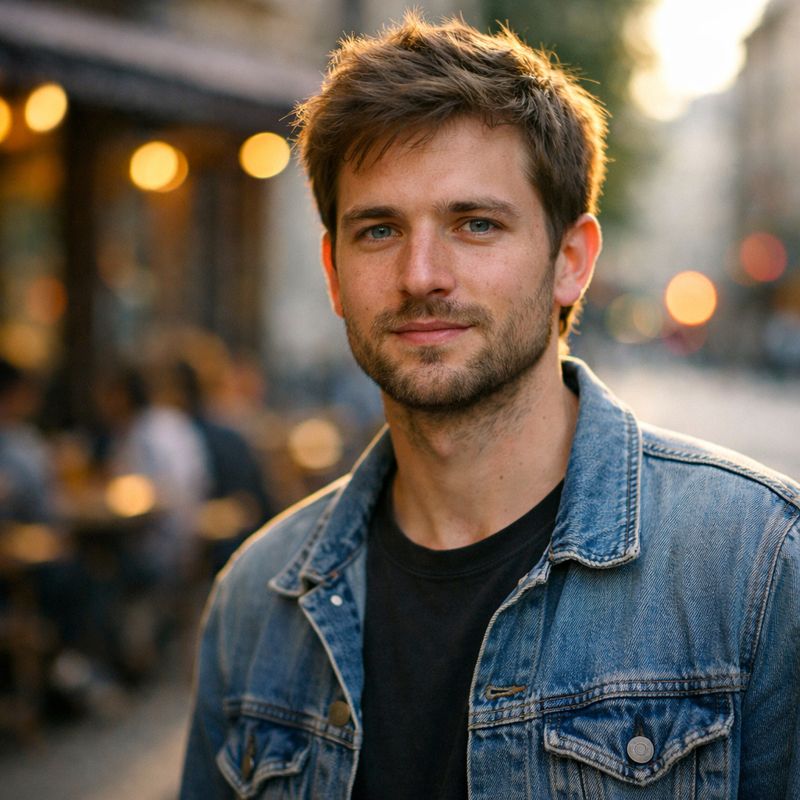
1. Candid Street Portrait, Golden Hour
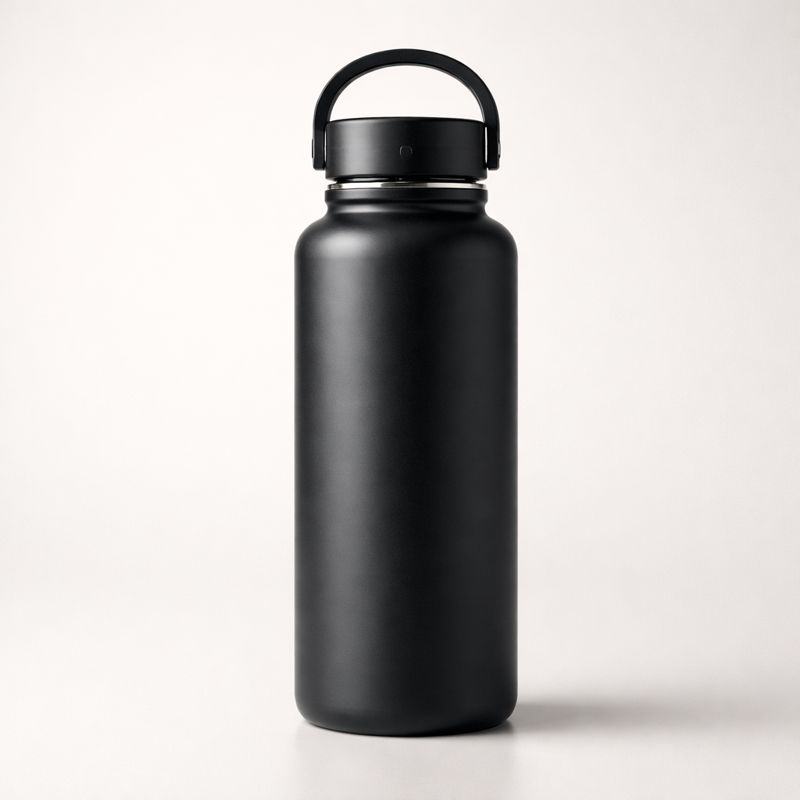
2. Product Photo, Real Ecommerce Shoot
For packaging, labels, and ecommerce-specific controls, use the 30 product photography prompts and reference-first approval workflow.
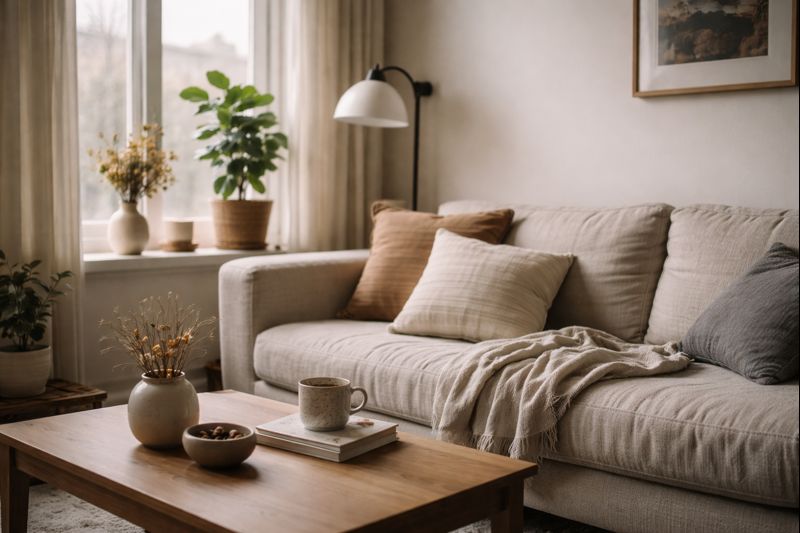
3. Cozy Interior, Window Light, Lived-In Realism
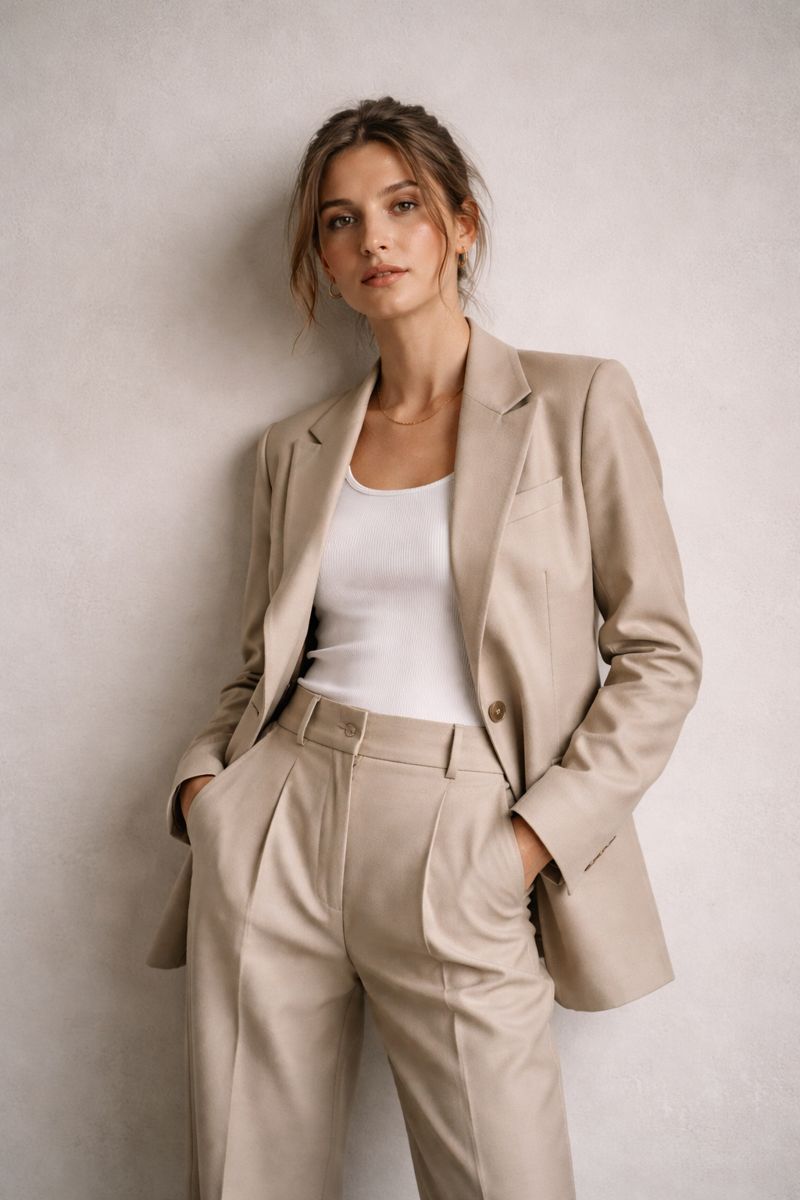
4. Editorial Fashion, Magazine Feel
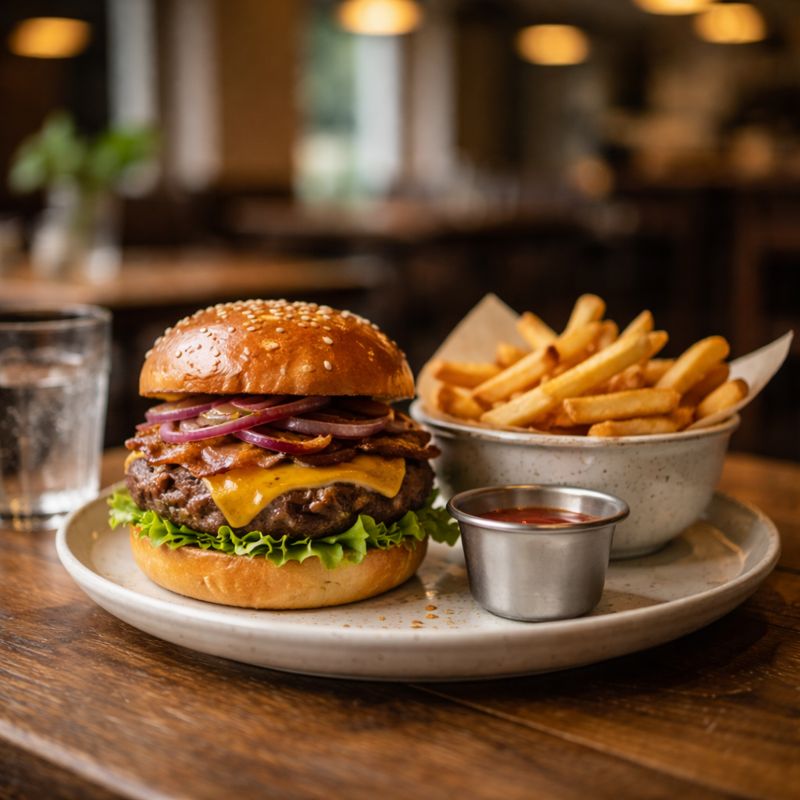
5. Food Photo, Real Restaurant Shot
For dish-specific overhead, menu, delivery, and restaurant-ad variations, use the ChatGPT food photography prompt guide.
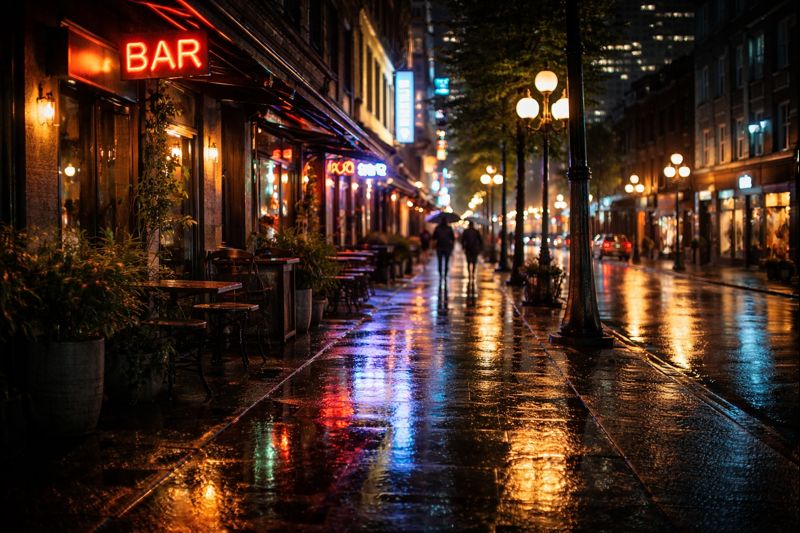
6. Night City Scene, Realistic Light Sources

7. Macro Close-Up, Extreme Detail
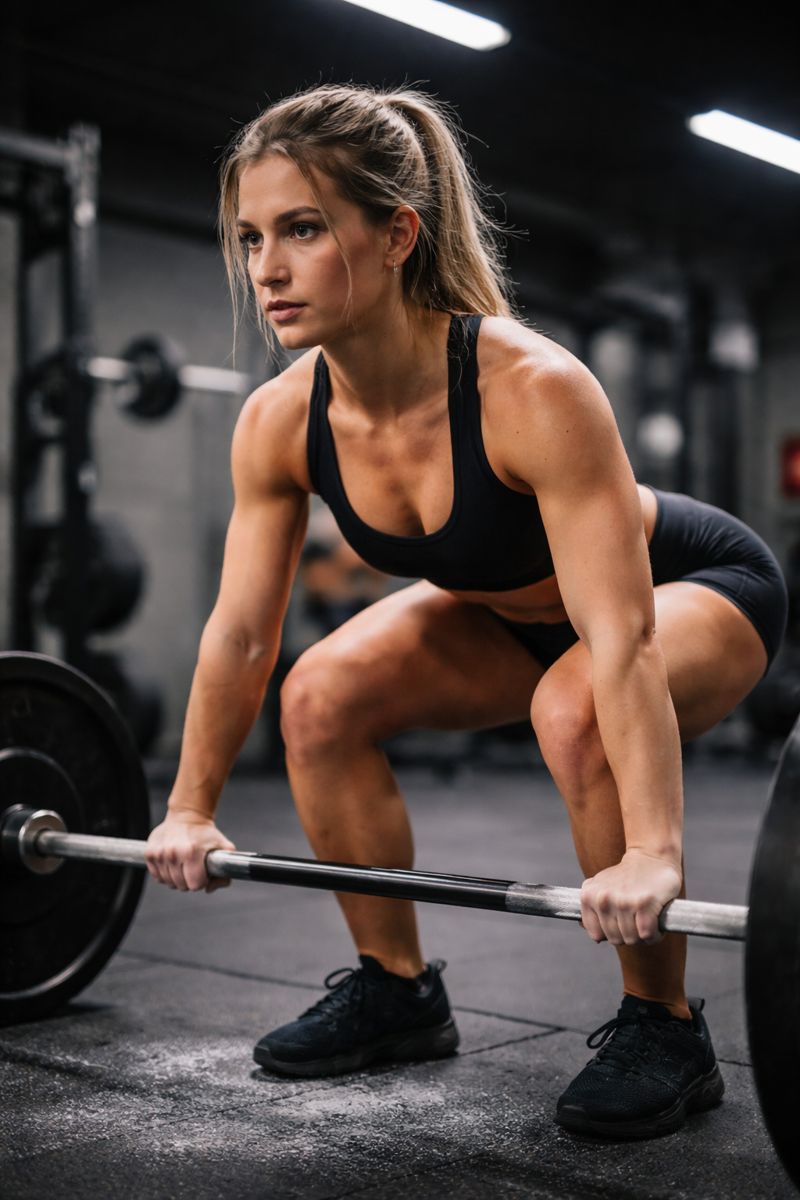
8. Gym Action Shot, Real Camera Capture

9. Natural Light Headshot, LinkedIn Realism
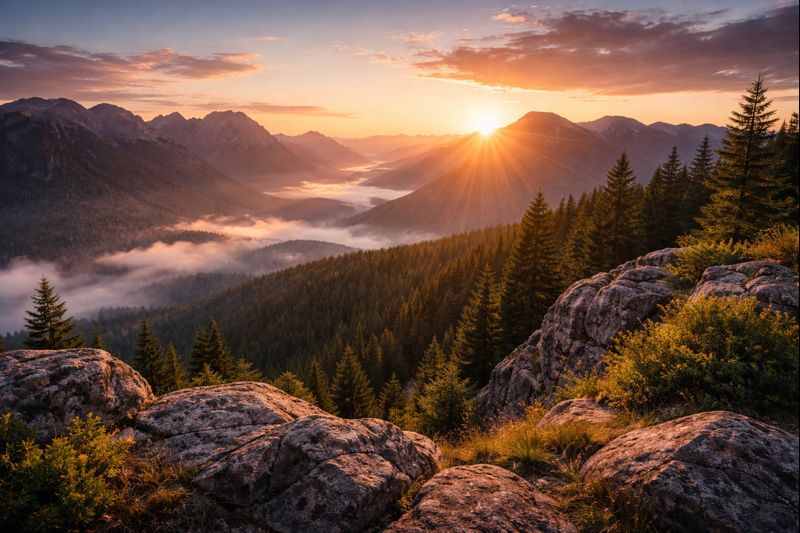
10. Travel Landscape, Real Photo Feel
Best ChatGPT prompt for a professional photo
Upload a clear photo first if the result needs to look like you. Then use the prompt below as an editing brief. It tells the model what to improve, what to preserve, and where the finished portrait will be used.
Replace only the bracketed wardrobe. If you do not upload a photo, remove the identity-preservation sentence and describe the person you want; that creates a new subject rather than an accurate portrait of you.
A useful professional-photo prompt is not a pile of quality words. It is a short creative brief. The role and destination determine the wardrobe and tone; the reference photo supplies identity; the light and crop make the result feel professionally photographed. This is also why phrases such as “keep my exact face” are not a guarantee. They communicate intent, but the output still needs a likeness check against the original.
For wardrobe and background choices that fit your role, use the LinkedIn and business headshot prompt guide. Choose the professional setting first, then adapt the source-photo brief above.
Choose the right workflow before you prompt
Edit a real selfie
Best when the photo represents you publicly. Upload a clear source, preserve identity, and request controlled changes to lighting, background, wardrobe, crop, or small distractions.
Generate a new person
Best for concepts, mockups, and fictional subjects. Describe age range, presentation, expression, setting, and composition. Do not expect the result to match a real person without a reference.
Use a source photo the model can actually read
Choose a front-facing or slightly turned photo with even light, visible eyes, and enough resolution to see real facial detail. Avoid sunglasses, beauty filters, extreme wide-angle selfies, motion blur, heavy shadows, or hair covering key features. A plain background helps, but face visibility matters more. If one reference does not capture your normal expression, use another clear angle when the tool supports multiple references.
Ask for one meaningful transformation at a time. First fix the lighting and background. Then adjust wardrobe or crop in a follow-up edit. Changing facial expression, hairstyle, outfit, pose, and environment all at once gives the model more chances to drift away from your identity. For a full walkthrough, see how to turn a selfie into a professional AI headshot.
Three professional-photo variants
LinkedIn or job-search profile
Keep the base prompt, choose understated role-appropriate clothing, use a confident but approachable expression, and retain the neutral background. Avoid dramatic color grading or fashion-editorial posing.
Founder or creator profile
Swap the blazer for polished smart-casual clothing, angle the shoulders slightly, and use a softly blurred workspace that hints at your field without adding readable logos or distracting props.
Company team page
Lock the same crop, background color, light direction, and wardrobe range for every person. Generate each teammate separately, then compare head size, eye line, white balance, and background tone as a set.
If LinkedIn is the only goal, the LinkedIn and business headshot prompt guide has role-specific options. This page remains the broader realism pack for portraits, products, food, interiors, and landscapes.
Build a photorealistic prompt in 30 seconds
Choose the photographic decisions that matter. The builder turns them into a complete prompt you can edit and run in QuestStudio.
Your prompt
Choose your options, then generate a complete prompt.
Create a free account, then your prompt opens in Image Lab. Start a 7-day trial with 100 credits after adding a card. $0 today. Cancel anytime before your 7-day trial ends and you won't be charged. Your selected monthly plan starts after the trial unless canceled.
Worked example: turn a vague photo idea into a reusable brief
Start with a simple idea: a realistic photo of a coffee cup. In the free photo prompt builder, choose Product photo first, then specify the cup, setting, composition and lighting. This walkthrough produces prompt text; it does not show a generated image.
For a second direction, keep those inputs fixed and change only the lighting to golden-hour backlight with subtle bounce fill, then rebuild the prompt. Save both versions with a note about what changed. When you create actual images, compare the cup, texture, shadows and empty space; identical instructions do not guarantee identical details.
The text builder needs no account. Image Lab requires an account and available credits. Start a 7-day trial with 100 credits after adding a card. $0 today. Cancel anytime before your 7-day trial ends and you won't be charged. Your selected monthly plan starts after the trial unless canceled. Review the selected model’s credit estimate, output limits and usage rights before generation. For a video cover, use the thumbnail prompt builder to define the video’s promise and test variable.
Does an HD or 4K Prompt Create a True 4K Image?
No. Resolution words can steer the image toward a crisp, high-detail look, but they do not override the output size supported by the image model. A file is true 4K only when its pixel dimensions meet the target.
Use prompt details such as a clear subject, controlled light direction, realistic texture, intentional depth of field, and a simple composition. If the final image needs more pixels for print, ads, or a large display, run the result through an image upscaler after generation.
Prompting controls
Subject detail, lighting, texture, composition, lens look, and mood.
The model controls
Native output dimensions, detail limits, and how faithfully instructions are followed.
Upscaling controls
Final pixel dimensions and enlargement after you choose the best generation.
Check the photo before another edit or export
A sharp image can still be the wrong image. Review it once at the size people will actually see, then zoom in to inspect the face, hands, product edges, and background. Decide whether the failure belongs to the brief, the generated content, or the export. Each needs a different fix.
| Problem | Check | Next step |
|---|---|---|
| The face or product changed | Compare shape, proportions, distinctive marks, and text against the source. | Return to the source and request one smaller edit. More sharpening will not restore the correct identity or label. |
| Skin or materials look plastic | Look for erased texture, identical highlights, and excessive edge contrast. | Ask for restrained retouching and natural texture. For a waxy face, use the plastic-skin repair checklist before editing again. |
| The subject looks pasted in | Compare light direction, contact shadows, and color temperature with the background. | Specify one shared light source and where the subject touches the scene. |
| The image works, but the file is too small | Read pixel width and height from the saved file, after the final crop. | Upscale the approved version, then recheck fine details. Do not rebuild a successful composition just to add the word 4K. |
Write the next edit as one change
For example, if the lighting is convincing but the ceramic surface looks synthetic, use this follow-up. It is a proposed edit brief, not a guarantee that every other pixel will stay untouched.
Compare the edit with the source before keeping it. OpenAI notes that image edits can extend beyond the selected area. Keep a copy of the approved image so you can restart from it if an edit damages the face, label, or composition.
For a concrete export target, a 3840 × 2160 image is 16:9 UHD. A 4:5 portrait is a different shape, so choose the destination's required width and height instead of relying on the word 4K. Recheck the final crop, not only the uncropped generation.
Download the photo brief and review sheet to record your source, one edit variable, acceptance checks, and final pixel dimensions. The sheet is blank for your own results; these prompts are examples, not a scored model comparison.
If this portrait is going on a professional profile, use the headshot quality checklist to review likeness, expression, and the final crop before publishing.
How to Build Your Own Prompt Library
As you build your own library, keep the same structure and swap only what matters, like the subject, location, and mood. That is how you get repeatable results across different styles and models.
QuestStudio makes this process easy. You can save your best prompts, organize them into your own prompt library, and reuse them anytime you want, without starting from scratch.
How to Make ChatGPT Photo Prompts Look Real
For model-specific structure, use the FLUX photoreal prompt guide. For a deeper diagnosis of waxy skin, warped anatomy, or conflicting instructions, use the AI realism troubleshooting guide.
Start with a specific subject and setting, then describe one believable light source, a useful camera angle, natural texture, and the intended composition. Avoid stacking conflicting style words. For more control over shadows and lens language, use the camera and lighting prompt cheatsheet.
When faces or hands look artificial, describe the failure directly instead of adding more quality buzzwords. The negative prompts for photorealistic images guide includes reusable exclusions for plastic skin, distorted anatomy, fake eyes, and inconsistent lighting.
A one-off portrait and a reusable character are different jobs. If the same identity must survive new poses, outfits, scenes, or video, compare the best AI character generator workflows before committing to a production tool.

The QuestStudio Prompt Library: save, organize, and reuse your best prompts.
You can also explore the built-in prompt library, which includes ready-to-use prompts for different scenes, use cases, and styles. You will find prompts similar to the ones in this post, plus plenty of options to spark new ideas.
Professional Photo Prompt FAQ
What is the best ChatGPT prompt for a professional photo?
Use a prompt that names the intended role, expression, wardrobe, background, one believable light source, portrait framing, natural skin texture, and the final crop. If you are editing a selfie, explicitly ask the model to preserve your recognizable facial structure and change only the requested presentation details.
Can ChatGPT turn a selfie into a professional photo?
Yes. Upload a clear, well-lit selfie and describe the changes you want. A front-facing source photo with visible facial detail gives the model better identity information than a dark, filtered, or heavily angled image.
How do I keep an AI professional photo looking like me?
Start from a strong reference photo, request an edit rather than a new person, name the features that must remain unchanged, and change only a few variables at a time. Compare the result with the source before using it publicly because no prompt guarantees perfect likeness.
What size should a professional profile photo be?
Generate a 4:5 portrait with enough space around the head and shoulders, then make a separate square crop for profile platforms. Preview the square image inside a circular mask so hair, chin, and shoulders are not cut off.
Quick Tip
Camera and lighting language can guide the model toward a photographic composition, but a list of technical settings is not a guarantee of realism. Start with a clear subject and light direction, add only the lens or depth-of-field cues that visibly matter, and remove conflicting style words.
For the current retro-photo trend, choose a specific 1980s photographic look.
More photo guides
- Build a custom AI photo prompt for free
- AI Image Generator (Text to Image)
- How to upscale an AI image after generation
- Realistic ChatGPT portrait prompts
- ChatGPT headshot prompts for LinkedIn and business
- 30 Instagram photo prompts for posts and Reels
- Turn a selfie into a professional AI headshot
- ChatGPT photo prompt copy-and-paste templates
- Camera and lighting prompt cheatsheet