
Quick answer
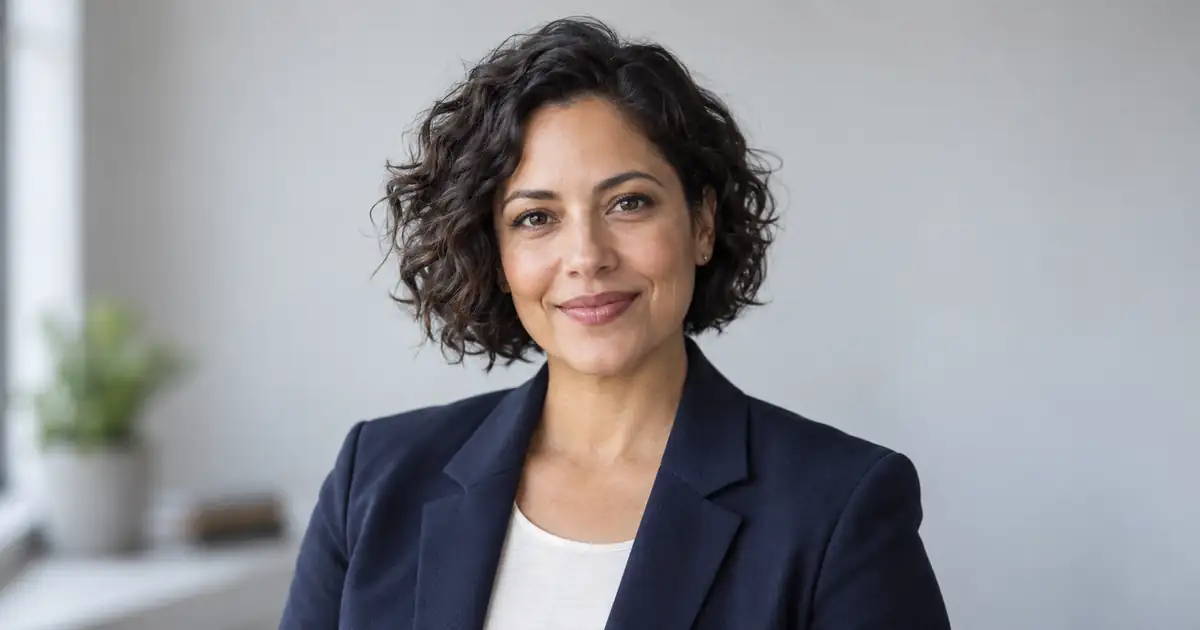
For a LinkedIn profile picture, start from a clear photo of yourself and ask ChatGPT Images to change the setting, not your identity.
LinkedIn’s official profile guidance says a profile photo must reflect your likeness. OpenAI’s ChatGPT Images guide confirms that you can upload an existing image and describe the edit. Together, those rules favor an identity-preserving edit workflow over generating an unrelated face.
Build a LinkedIn headshot promptThe 25 prompts below cover LinkedIn profile pictures, resumes, company sites, speaker bios, executives, teams, and personal branding. If you want a creative, editorial, couple, or lifestyle portrait rather than a business profile image, use the realistic portrait prompt guide.
Treat every result as a draft: compare it with the source photo, reject identity drift, and publish only a recognizable image that fits the final crop.
Turn your own photo into a professional headshot
- Choose a clear recent photo with visible eyes, even light, and the hairstyle you want to keep.
- Upload it, then choose one of the 25 styles below. Each prompt includes the reference-photo instruction so you can copy it on its own.
- Change the background, outfit, or light one at a time. Keep your age, face shape, complexion, and natural features.
- Compare the result with your original at full size and as a small circular crop. Reject a changed face, invented teeth, or a crop that cuts off the head.
For a team, edit one person’s authorized source photo at a time using the same background and lighting brief. A style prompt cannot guarantee identity preservation; return to the source photo if a revision drifts.
Add your photo in Image Lab and choose a model that supports uploaded-image editing, or use the prompt in ChatGPT Images. For a specific lighting repair, see the portrait lighting directions.
Match your LinkedIn profile picture prompt to the job
A useful headshot brief starts with where the photo will appear. One recognizable square portrait can be enough for a profile update. A company directory needs a shared style and approval from each person. Decide the deliverable before spending time on variations.
| Your job | Brief to use | Finish when |
|---|---|---|
| Update a LinkedIn profile | Start with the classic LinkedIn prompt, a quiet background, and a centered square crop. | Your face remains recognizable at profile-icon size and the circular crop leaves room around your hair. |
| Refresh a founder or consultant bio | Use the founder portrait; specify the actual setting and the website’s crop. | The image fits the page without inventing an office, credential, client, or business relationship. |
| Make a team directory consistent | Reuse one background, light direction, camera height, and crop. Use a separate approved source photo for each person. | Each person approves their likeness and the set has consistent framing. Use the team headshot comparison guide before choosing a service for a larger rollout. |
Use the smallest edit that solves the problem
If your photo already looks like you and only needs a tighter crop, crop it first. If the background is distracting, keep the original expression and clothing while replacing that background. If the face is blurred, hidden, or heavily filtered, take another source photo before generating. More retries do not restore detail that the source never captured.
For a deadline-sensitive company shoot, compare the total work: preparing source photos, reviewing likeness, fixing mistakes, and exporting the approved set. A traditional shoot may be the better fit when you need new poses, a shared location, or someone to direct the session. A prompt-based edit fits a narrower job when you already have a usable source. Neither choice guarantees a stronger profile or more leads.
Download the editable headshot brief. Fill in the destination, protected features, one allowed change, and the reviewer before your first attempt. Keep one approved result instead of collecting dozens of almost-right faces.
For a background-only change, follow the headshot background editing workflow. For final facial-detail review, use the headshot quality checklist.
The best formula for ChatGPT headshot prompts
Use this structure:
Subject or reference image + professional role + outfit + background + lighting + camera angle + crop + expression + realism details + exclusions
Here is a reusable template:
For best results, keep the image simple. A business headshot does not need a dramatic scene. It needs a clear face, good lighting, clean clothing, and a background that does not distract.
25 ChatGPT headshot prompts for LinkedIn and business
1. Classic LinkedIn headshot
2. Corporate executive headshot
3. Business casual headshot
4. Startup founder headshot
5. Real estate agent headshot
6. Financial advisor headshot
7. Healthcare professional headshot
8. Attorney headshot
9. Sales professional headshot
10. Consultant headshot
11. Creative professional headshot
12. Designer headshot
13. Tech professional headshot
14. Remote worker headshot
15. Speaker bio headshot
16. Author headshot
If you are also creating book visuals, QuestStudio’s AI Book Cover Generator can help you build cover concepts that match the author’s brand.
17. Personal brand headshot
18. Team page headshot
For a multi-person rollout, use the AI headshot generator framework for teams to compare tools, standardize the brief, collect consent, and approve the full set consistently.
19. Resume headshot
20. Warm approachable headshot
21. Serious executive portrait
22. Outdoor professional headshot
23. Entrepreneur lifestyle headshot
24. Professional headshot from reference photo
25. Modern profile photo
How to make AI headshots look more professional
Use a clean background
For LinkedIn and business profiles, simple backgrounds usually work best. Choose backgrounds like:
Avoid busy rooms, fake city skylines, complicated shelves, dramatic scenery, or anything that takes attention away from your face.
Choose the right outfit
Your outfit should match the professional context.
- For corporate roles, use a suit, blazer, dress shirt, blouse, or clean business formal clothing.
- For business casual roles, use a blazer, button-down shirt, knit top, or simple professional outfit.
- For creative roles, use clean stylish clothing that still feels polished.
- For healthcare, legal, finance, or consulting roles, keep the outfit more traditional.
A good prompt should describe the outfit clearly but not overdo it.
Ask for natural skin texture
AI headshots can look fake when the skin is too smooth. Use language that keeps the face realistic.
Good phrases include:
- natural skin texture
- realistic pores
- subtle facial details
- true-to-life complexion
- natural eye reflections
- soft but realistic retouching
- realistic hair detail
Avoid phrases like flawless skin, perfect face, doll-like beauty, or ultra-smooth skin if you want a believable result.
Keep the expression natural
A professional headshot should look confident, not forced.
Use phrases like:
- natural confident smile
- calm approachable expression
- relaxed friendly expression
- composed professional expression
- serious but approachable look
- warm eye contact
Avoid exaggerated smile, intense stare, or overly dramatic expression.
Use simple camera language
You do not need advanced photography knowledge. A few basic phrases can help:
- eye-level camera angle
- shoulders-up framing
- chest-up portrait
- sharp focus on the eyes
- soft background blur
- 50mm lens look
- 85mm portrait lens look
- professional studio lighting
For LinkedIn, shoulders-up or chest-up framing usually works best.
How to describe what the headshot should avoid
ChatGPT Images accepts natural-language edit instructions. Put the exclusions at the end of the main prompt. If another image model exposes a dedicated negative-prompt field, move the same list there instead of assuming every model uses identical syntax.
Start with this general exclusion list for professional headshots:
For LinkedIn headshots, add:
For executive headshots, add:
For team headshots, add:
How QuestStudio helps with LinkedIn and business headshots
QuestStudio helps you create and refine professional headshot prompts without treating every image like a one-time experiment.
Use the free AI photo prompt generator and choose the LinkedIn headshot preset to build a tailored prompt with professional lighting, lens, background, and realism controls.
When you need a complete portrait session rather than one headshot, use the AI studio photoshoot prompt generator to keep the wardrobe, backdrop, lighting diagram, lens, and art direction consistent across the series.
In Image Lab, choose an available model and compare how it handles identity, skin texture, lighting, eye focus, clothing, and background. Reference, edit, exclusion, or repeatability controls depend on the selected model and mode, so check the controls shown at generation time.
If you have a reference photo, you can use Image to Image AI to guide the final headshot while keeping the result closer to the original person. If one part of the image needs correction, such as the background, jacket, collar, or lighting, inpainting lets you edit only that area instead of starting over.
Prompt Lab helps you save headshot prompts in folders and reuse them for LinkedIn, company pages, speaker bios, resumes, and personal branding. When comparison mode is available, keep the source photo and brief fixed so you can judge likeness rather than prompt variation.
For final cleanup, QuestStudio’s tools can support the finishing process. Use the Background Remover for a cleaner profile image, the Image Upscaler for sharper final output, and the Photo Restorer when improving an older or lower-quality portrait. If you want to turn a business portrait into motion content, you can also use Image to Video AI or the AI Video Generator for short profile or intro clips.
A model-specific test plan for business headshots
Aspect ratio
| Ratio | Best for |
|---|---|
| Square 1:1 | LinkedIn uploads and company directories; keep the face centered for a circular crop |
| Portrait 3:4 | Resume, speaker-bio, and professional website versions |
OpenAI documents aspect-ratio selection in ChatGPT Images. Whatever tool you use, preview the square result inside a circular crop before publishing.
Resolution
Use HD or higher for a clean headshot. If the face, hair, and clothing look good, upscale the final image for better clarity. Avoid upscaling drafts that still have facial or clothing issues.
Style preset
- Use Photorealistic for LinkedIn, resumes, business profiles, and corporate pages.
- Use Cinematic only when you want a more editorial personal brand look.
- Use Vintage Film for a softer author, speaker, or creative profile style.
- Avoid Anime, 3D Render, or highly stylized presets when the goal is a real business headshot.
Exclusions when supported
Describe the defects to avoid in the main instruction. If the selected model exposes a dedicated negative-prompt field, move the exclusion list there.
Repeatability controls when supported
If the selected model exposes a seed or reference-strength control, keep it fixed while changing one prompt variable. A repeated seed is a test aid, not proof that facial identity will remain stable.
Model comparison
Use model comparison when realism matters. One model may produce better lighting, another may handle clothing better, and another may preserve facial structure more naturally.
LinkedIn headshot prompt checklist
Before generating, make sure your prompt includes:
A good headshot prompt should feel specific, but not overloaded.
Common mistakes to avoid
Making the headshot too glamorous
A LinkedIn headshot should look polished, not like a fashion campaign. Keep the lighting, pose, and background professional.
Changing the person too much
If you are using a reference photo, ask the AI to preserve the person’s real facial identity, skin tone, hairstyle, and natural features.
Using a busy background
A cluttered office, fake bookshelf, or dramatic city view can make the headshot look less credible. Simple backgrounds are usually better.
Asking for perfect skin
Perfect skin often looks fake. Ask for natural skin texture and soft realistic retouching instead.
Forgetting the industry
A lawyer, real estate agent, designer, software engineer, financial advisor, and creator may all need different headshot styles. Match the clothing and background to the context.
Ignoring the crop
For LinkedIn, shoulders-up or chest-up framing works better than a full-body portrait. The face needs to be clear even when the image is small.
FAQ
What is the best ChatGPT prompt for a LinkedIn headshot?
The best prompt names the real person or reference photo, professional role, outfit, background, light direction, shoulders-up crop, expression, natural skin texture, and defects to avoid. Ask for a recognizable likeness rather than a different or idealized person.
Can I use AI-generated headshots for LinkedIn?
LinkedIn says a profile photo must reflect your likeness. An AI-assisted headshot should therefore remain recognizably you; do not replace your identity, use someone else's likeness, or exaggerate your appearance.
How do I make an AI headshot look natural?
Use natural skin texture, realistic hair detail, true-to-life colors, soft lighting, and a simple background. Avoid over-smoothed skin, fake smiles, dramatic filters, cartoon style, and perfect-looking facial features.
Should I use a reference photo for AI headshots?
Yes. OpenAI documents that ChatGPT Images can edit an uploaded image. Start from a clear photo of yourself and request changes to lighting, background, crop, or clothing while explicitly preserving facial identity, skin tone, hairstyle, and natural features.
What background is best for a LinkedIn headshot?
A neutral gray, white, beige, or softly blurred office background usually works best. The background should look clean and professional without distracting from your face.
What should I wear in an AI business headshot?
Wear what fits your industry. A blazer, dress shirt, blouse, suit, or clean business casual outfit works well for most professional uses. Creative fields can be more relaxed, but the image should still look polished.
What negative prompt should I use for a professional headshot?
Use natural-language exclusions such as avoid plastic skin, over-smoothed face, distorted facial features, fake smile, uneven eyes, unnatural teeth, cartoon style, CGI look, harsh shadows, messy background, fake text, unrealistic lighting, and overprocessed colors. If the selected image model has a dedicated negative-prompt field, place them there; otherwise append them to the main instruction.
Conclusion
A professional AI headshot starts with a clear prompt. Focus on a clean background, natural lighting, realistic skin texture, sharp eye focus, business-appropriate clothing, and a believable expression.
Whether you are creating a LinkedIn photo, resume image, company profile, speaker bio, or personal brand portrait, the best results come from prompts that look polished without feeling fake.
Try building your next headshot prompt in QuestStudio, compare the same prompt across multiple image models, save your favorite version in Prompt Lab, and refine the final image with editing tools when needed.
Related guides
If the portrait is already approved and only its setting needs work, follow the headshot background replacement guide to retain the person and review hair, glasses, and lighting.